Picking project management software when you have under 20 people feels different than when you have 200. Your budget is tighter, nobody has time for weeks of training, and honestly, you just need something that works without a bunch of fuss. This guide breaks down the best options so you can actually make a decision without reading fifty different reviews.
Why Small Teams Need Specialized Project Management Tools
Small teams work differently than big companies. You don’t need enterprise complexity—you need tools that are easy to learn, don’t cost a fortune, and actually help you get work done without adding bureaucratic overhead.
Teams with fewer than 20 members who use dedicated project management software report a 25% improvement in project completion rates compared to those tracking everything in spreadsheets or sticky notes. That’s not because the software is magical—it’s because everyone can see what’s happening without asking “hey, where are we on that?”
What actually matters for small teams: clear task assignment, easy progress visibility, and pricing that makes sense. Most tools for small businesses run from free up to about $15-30 per user monthly. You don’t need every feature—you need the right ones.
Quick Comparison: Top Project Management Software for Small Teams
| Software | Starting Price | Best For | Key Strength |
|---|---|---|---|
| Monday.com | $9/user/month | Customizable workflows | Highly flexible interface |
| Asana | $10.99/user/month | Team collaboration | Excellent integrations |
| ClickUp | $7/user/month | Value for money | Feature-rich free tier |
| Trello | $5/user/month | Visual task management | Kanban board simplicity |
| Notion | $8/user/month | All-in-one workspace | Database flexibility |
| Wrike | $10/user/month | Enterprise features | Advanced reporting |
| Smartsheet | $9/user/month | Spreadsheet users | Familiar interface |
Each tool has its own personality. Here’s the deeper dive.
Monday.com: Best for Customizable Workflows
Monday.com lets you build boards that match however your team actually works. Kanban, timeline, calendar—take your pick. The visual approach means you see the whole project at a glance, which matters when you don’t have a project manager tracking everything.
The automation features are genuinely useful. You can set up rules that assign tasks automatically when someone creates a new item, ping team members when deadlines approach, or move cards through stages without manual updates. Small teams often waste time on repetitive status updates; Monday.com handles some of that for you.
Pricing starts at $9 per user monthly for Basic, which covers unlimited boards and 2GB storage. Standard at $14 adds timeline and calendar views. Pro at $19 includes workload management and private boards.
The trade-off: Monday.com has a lot of features, and that can feel overwhelming at first. The good news is you don’t have to use everything. Start simple, add complexity as you need it. User reviews on G2 note that small teams appreciate being able to grow into the platform rather than being forced to use everything immediately.
Asana: Best for Team Collaboration and Integrations
Asana’s strength is making collaboration feel natural. The interface is clean, the basics are obvious, and you can start using it productively within an hour rather than a week.
Task management works well: create projects, assign tasks, set due dates, and see everything on dashboards. The My Tasks view gives each person their own prioritized list, which sounds simple but prevents a lot of “what should I be working on?” confusion. Portfolios let managers see across multiple projects without digging into details.
The integration ecosystem is where Asana really stands out. It connects with over 200 apps—Slack, Microsoft Teams, Google Workspace, Salesforce. If your team already uses other tools, Asana pulls everything together in one place rather than forcing you to switch contexts constantly.
The free tier handles teams up to 15 people with unlimited projects and tasks. Premium runs $10.99 per user monthly for timeline views, custom fields, and reporting. Business at $24.99 adds workload management and priority support.
If your team cares about goal-setting and OKR tracking, Asana does this better than most. Linking individual tasks to bigger objectives helps smaller teams stay focused when there’s no middle management layer keeping everyone aligned.
ClickUp: Best Value for Money
ClickUp has become the go-to recommendation for teams watching their budget. The free tier is absurdly generous—unlimited users, 100MB storage, and most core features included. Compare that to competitors who start limiting you on day one.
The platform offers over 15 view types: List, Board, Calendar, Gantt, Box—whatever clicks for your brain. Not everyone on your team will prefer the same view, and ClickUp lets everyone work their way.
The Docs feature deserves specific mention. You can create and organize documentation right inside ClickUp, which means you’re not hunting for information across Google Docs, Notion, and email. Everything lives where the tasks live.
Paid plans start at $7 per user monthly for Unlimited (removes storage limits, adds automation). Business at $12 includes custom dashboards and whiteboards. For what you get, this is aggressively priced.
The catch? ClickUp has so many features that finding what you need can take time. The interface isn’t as polished as Asana or Monday.com. But if value for money is priority one, it’s hard to beat.
Trello: Best for Visual Task Management
Trello keeps it simple. Boards, lists, cards. That’s the whole system, and that’s why it works.
Cards hold your tasks. Move them across lists as work progresses. Add descriptions, attachments, comments, due dates—whatever you need. The card metaphor maps directly to how many teams already think about work, so there’s basically no learning curve.
Power-Ups extend functionality when you need it: calendar views, time tracking, custom fields, automation. The modular approach means you start bare-bones and add pieces only when specific needs appear.
Free tier covers unlimited cards and boards with up to 10 boards per workspace. Standard at $5 per user adds unlimited storage and advanced checklists. Premium at $10 includes dashboard views and priority support.
Creative teams love Trello. Marketing folks, designers, content creators—anyone who thinks visually benefits from seeing work flow across a board rather than staring at lists and表格.
Notion: Best All-in-One Workspace
Notion isn’t just project management. It’s notes, databases, wikis, and project tracking all in one place. For teams tired of managing six different tools, this consolidation is appealing.
The database functionality is powerful. Build custom trackers with whatever properties you need—sprint progress, content calendars, client projects. Link related databases together so information connects across areas. Once you understand Notion’s database system, it becomes incredibly flexible.
Free tier works for personal use and small teams. Team plan at $8 per user adds unlimited file uploads and version history. Enterprise brings security features for bigger deployments.
The honest downside: Notion has a learning curve. Your team needs to spend time setting up workspaces in ways that actually make sense. The available templates help, but you’ll still need to think about how you want to organize information.
Teams that commit to Notion often drop three or four other tools. If that consolidation appeals to you, the upfront time investment probably pays off.
Key Features Small Teams Should Prioritize
Skip the feature checklists that look impressive in marketing materials. Focus on what actually affects your daily work.
Onboarding time matters more than you think. You don’t have IT departments or training budgets. If your team can’t be productive within a day or two, the software won’t get used. Use free trials to test this with actual team members, not just managers.
Task and deadline management sounds basic because it is. Create tasks, assign them, set deadlines, see what’s overdue. The best tools make this effortless. Skip tools that require three clicks to create a simple task.
Collaboration features keep everyone in the loop without endless meetings. Comments on tasks, file sharing, real-time updates. If your team lives in Slack, check how well the project tool integrates.
Reporting helps managers see problems before they become crises. Even small teams need to know: are we on track? Who’s overloaded? What’s due next week?
Mobile apps matter for remote teams. You need to check updates and add comments from your phone. Test this during your free trial—some mobile experiences are afterthoughts.
Pricing Considerations for Small Teams
Free tiers exist for a reason—use them. Asana and ClickUp offer the most generous free plans. Trello and Notion work fine for small teams at free levels too.
Paid plans typically run $5-20 per user monthly. Entry-level gets you the basics. Mid-tier adds reporting, automation, and customization. Enterprise pricing (usually $20+) brings security and admin features that small teams rarely need.
Watch for hidden costs: extra storage, premium integrations, overage charges. Most platforms are straightforward, but double-check before you commit.
Annual billing saves 15-25%. If you’re confident about your choice, pay yearly. If you’re still figuring things out, monthly keeps you flexible.
How to Choose the Right Software for Your Team
Be honest about your actual problems. Are tasks disappearing? Is it unclear who’s doing what? Are deadlines always fuzzy? The software that solves your specific pain points matters more than the one with the longest feature list.
Get your team involved in the decision. The people using it daily will spot issues you won’t notice. Plus, they might actually adopt it if they had input.
Run real projects through free trials. Not hypothetical ones—actual work. That’s where you discover whether the interface feels natural or fighty.
Think about growth. A tool that works for five people might fall apart at fifteen. Check the pricing tiers and what happens when your team doubles.
Define success after you implement. How will you know if it’s working? Reduced status meetings? Faster project completion? Better deadline visibility? Measure it.
Conclusion
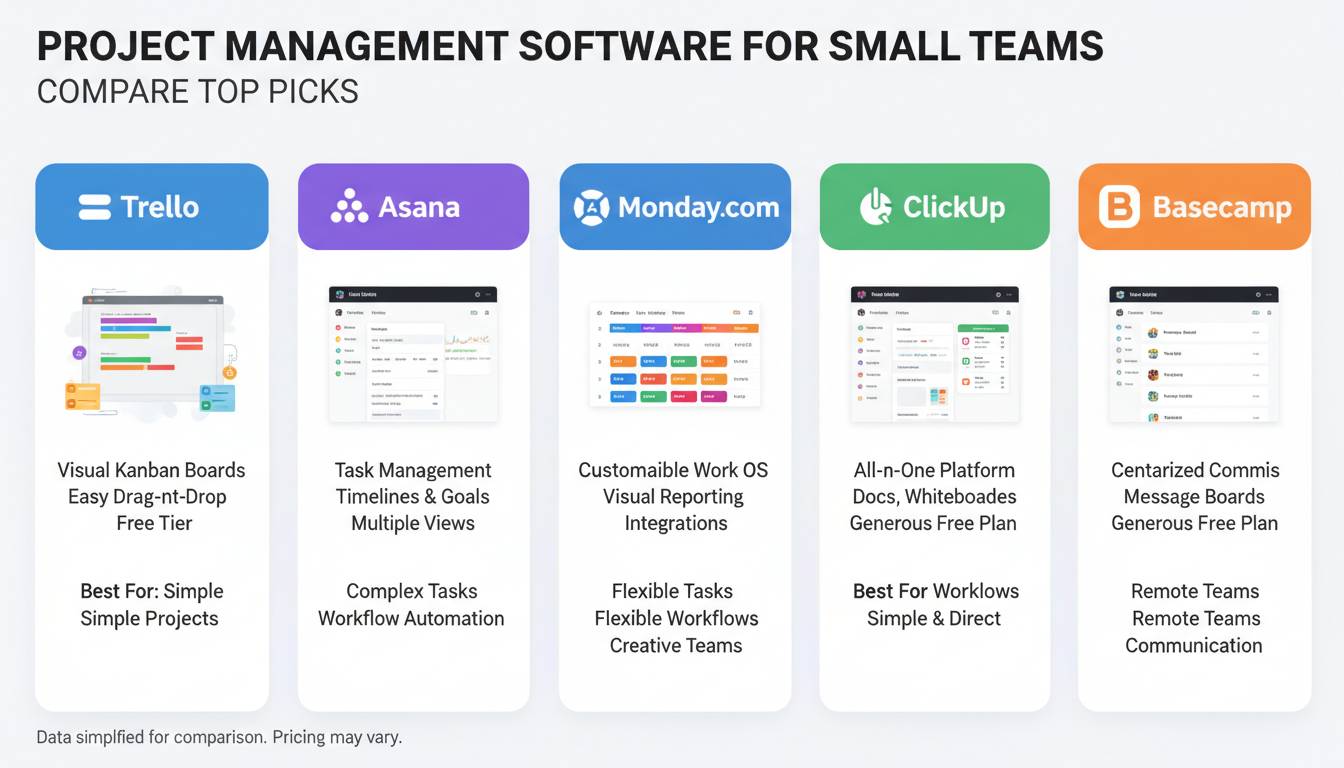
Here’s the thing: there’s no single best tool for every small team. Monday.com wins if you want flexibility. Asana wins if integrations and collaboration are priority one. ClickUp wins if budget is tight. Trello wins if visual simplicity is what you need. Notion wins if you want one tool instead of five.
All of them offer free trials or free tiers. Use them. Your team’s time investment in testing is small compared to the cost of choosing wrong and having to switch later.
The right tool is the one your team actually uses. Everything else is details.
Frequently Asked Questions
How much does project management software cost for small teams?
Prices range from free to about $20 per user monthly. Most entry-level paid plans fall in the $5-10 range. The big platforms all offer free tiers, so you can start without spending anything.
What is the easiest project management software to learn?
Trello’s card-based system is the most intuitive—you understand it immediately. Asana’s clean interface is a close second. But “easiest” depends on how your team thinks, so test both.
Do small teams really need dedicated project management software?
Yes. Even teams of three to five benefit from seeing tasks in one place instead of scattered across emails and chat. Without it, stuff falls through the cracks. The cost is low enough that the efficiency gains almost always justify it.
Can I switch project management software later if my needs change?
Yes. Most platforms export your data, and competitors often import directly. Switching isn’t fun, but it’s doable. Pick carefully upfront to avoid the hassle.
Which project management software offers the best free plan?
ClickUp and Asana have the most generous free tiers. ClickUp gives you nearly everything except storage limits. Asana’s free tier works for teams up to 15 with unlimited projects. Both are solid starting points.
Is project management software worth it for a team of five?
Absolutely. Five-person teams especially struggle with coordination—no formal processes, everyone wearing multiple hats. A simple tool brings structure without bureaucracy. The ROI shows up in fewer missed deadlines and less “wait, who’s handling that?” conversation.