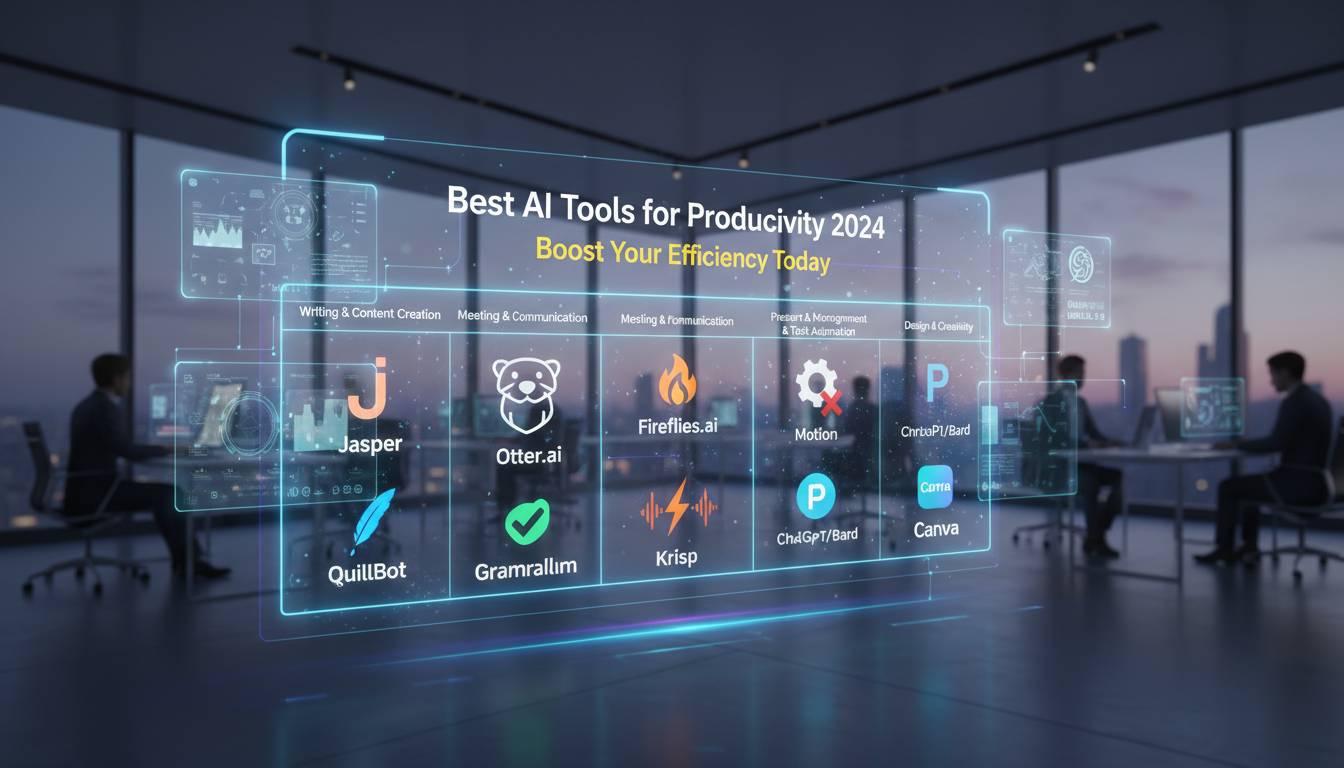
Artificial intelligence has changed how professionals work, communicate, and manage their time. With hundreds of AI-powered tools available, choosing the right ones for your needs can feel overwhelming. This guide looks at the most useful AI tools for productivity across different categories, from writing assistants to automation platforms, so you can decide what might work for your workflow.
How We Evaluated These Tools
We looked at several factors that matter in practice. We checked user adoption rates on platforms like G2 and Capterra, examined how well each tool integrates with other software, evaluated pricing, and considered user experience ratings. Each tool here has shown real productivity improvements for individuals and teams.
The AI landscape changes quickly, with new features appearing monthly. We focused on tools with solid track records and consistent updates.
AI Writing Assistants
Writing takes up a lot of professional time, making AI writing tools genuinely useful.
ChatGPT leads the market with its conversational abilities and broad knowledge. The free version works well for drafting emails, brainstorming, and basic research. ChatGPT Plus gives you GPT-4, which handles nuance better and processes faster. Businesses can use APIs to embed ChatGPT into their own workflows.
Claude, from Anthropic, has become popular among researchers and analysts who work with long documents. Claude 3 Opus, released in early 2024, handles complex analysis and creative writing well. Many users appreciate how carefully Claude handles sensitive topics.
Microsoft Copilot works directly inside Microsoft 365 apps—Word, Excel, PowerPoint, and Outlook. If your organization already uses Microsoft products, this integration is smooth. Copilot can build spreadsheet formulas, create presentations from data, summarize email threads, and help draft documents.
AI Note-Taking and Knowledge Management
Notion AI turns regular note-taking into something smarter. You can ask questions about your documents, auto-summarize meeting notes, and create content outlines quickly. If your team already uses Notion for project management, this fits naturally.
Otter.ai handles real-time transcription for meetings and interviews. It records audio, generates transcripts, and provides AI summaries that highlight key points and action items. Connect it to your calendar and Otter.ai joins meetings automatically to transcribe them.
Mem calls itself “the first AI-powered workspace that organizes itself.” Unlike note-taking apps where you manually organize everything, Mem surfaces relevant information based on context. This helps researchers, writers, and anyone dealing with lots of information.
AI Automation Tools
Automation tools handle repetitive tasks so you can focus on work that matters.
Zapier stays popular, connecting over 5,000 apps to create automated workflows. In 2024, Zapier added AI features that let users build automations using plain language. This makes it accessible even if you don’t have technical skills.
Make (formerly Integromat) handles more complex automation with its visual workflow builder. It offers more customization than many alternatives, which works well for businesses with sophisticated needs. Make’s AI helps design efficient workflows and suggests improvements.
Microsoft Power Automate targets enterprise customers needing deep Microsoft integration. It offers strong automation backed by Microsoft’s security and compliance features, making it a solid choice for large organizations.
AI Image and Design Tools
Visual content matters for marketing and communications.
Canva’s AI features have made the platform more powerful. Magic Design creates complete design suggestions from text descriptions. Magic Edit lets you modify images using natural language. These features make professional design accessible to people without formal training.
Adobe Firefly is Adobe’s entry into generative AI for creatives. Built into Photoshop, Illustrator, and other Creative Cloud apps, Firefly enables features like generative fill and text-to-image creation. Adobe trained Firefly on licensed content, which addresses commercial safety concerns that other tools have faced.
Midjourney continues doing well with high-quality image generation through Discord. The images are artistic and detailed, popular with concept artists, marketers, and creative directors who need unique visuals.
AI Research and Analysis Tools
Perplexity AI works as an AI-powered search engine that gives you direct answers with sources instead of just links. This helps when you need quick, accurate information across many topics. The conversational interface lets you refine searches and explore related questions.
Consensus focuses on scientific research—you can search academic papers and pull out findings directly. Healthcare professionals, academics, and policy workers find this useful when they need evidence-based information.
AI Project Management Tools
ClickUp added AI features to its all-in-one project management platform in 2024. The AI assistant generates task descriptions, suggests priorities, and automates status updates. Competitive pricing and comprehensive features make ClickUp appealing for teams wanting a unified solution.
Asana’s AI features focus on workflow optimization and workload management. The platform’s intelligence helps spot bottlenecks, suggests resource allocation, and automates routine updates. Integration with over 200 other tools makes Asana flexible for different team setups.
Pricing and Value
Most AI tools use freemium models—substantial functionality free, advanced features for paying users. ChatGPT’s free tier works surprisingly well for individuals. Claude offers generous free access, though limits apply during peak demand. Business tools typically cost $10–$50 monthly per user, with enterprise pricing for larger deployments.
The return on investment often exceeds costs. Professionals report saving 30–50% on writing, meeting notes, and organizing information when they integrate these tools effectively.
Frequently Asked Questions
What’s the best AI tool for productivity?
It depends on what you need. For general writing and conversation, ChatGPT is most versatile. For research and analysis, Claude performs exceptionally well. For Microsoft 365 users, Copilot integrates seamlessly. Think about your main use cases to pick the right one.
Are free AI tools worth using?
Yes. ChatGPT, Claude, and others offer capable free versions that work fine for individuals—drafting, research, basic automation. Paid versions make more sense for heavy users who need faster processing, larger context, or commercial rights.
Which AI tools integrate best with existing software?
Copilot works deepest with Microsoft 365. Zapier and Make connect the most apps across different vendors. Notion AI fits naturally within Notion. Most productivity tools now offer APIs for custom integrations.
How do I choose the right AI tool for my business?
First, figure out which tasks take most of your time. Look at your current software and your team’s technical comfort level. Many teams benefit from combining a few tools rather than relying on one. Test free versions before paying.
Can AI tools help remote teams?
Definitely. AI tools address common remote work challenges—async communication, documentation, and knowledge sharing. Otter.ai transcribes meetings so distributed team members can catch up. AI assistants keep communications consistent and cut down back-and-forth exchanges.
What matters most in AI productivity tools?
Look for reliable accuracy, easy interfaces, and strong data security—especially for business use. Check if the tool integrates with what you already use. Watch for hidden costs in pricing. Pick vendors with good track records and ongoing development, since AI changes fast.
The AI productivity landscape in 2024 gives professionals real chances to get more done. The tools here are strong options in their categories, each good at specific things. Success comes from fitting AI into what you already do rather than completely changing how you work. Start with one or two tools for your biggest productivity pain points—you’ll learn as you go and see immediate benefits. As AI keeps improving, staying aware of new developments helps you keep up in a work world that’s increasingly AI-assisted.