The workplace changed faster than most people expected. AI tools went from novelty to necessity in under two years, and if you’re not using them, you’re probably spending way too much time on tasks that machines handle better.
This guide covers what actually works in 2024—not every tool, just the ones worth your attention.
Understanding Where We Are Now
Let’s be honest: AI isn’t going to replace most jobs, but professionals who use AI are definitely replacing some of the work that people who don’t use AI used to do. That’s the real shift.
Most people report saving about a day per week on routine tasks when they actually adopt these tools consistently. Not everyone does—there’s a big gap between installing something and actually using it—but for those who do, the numbers are hard to ignore.
The tools got a lot better recently. Early AI assistants were frustrating—hallucinations, bad context, clunky interfaces. The current generation is genuinely useful for actual work. You don’t need to be technical to use them anymore.
Best AI Tools for Writing and Content
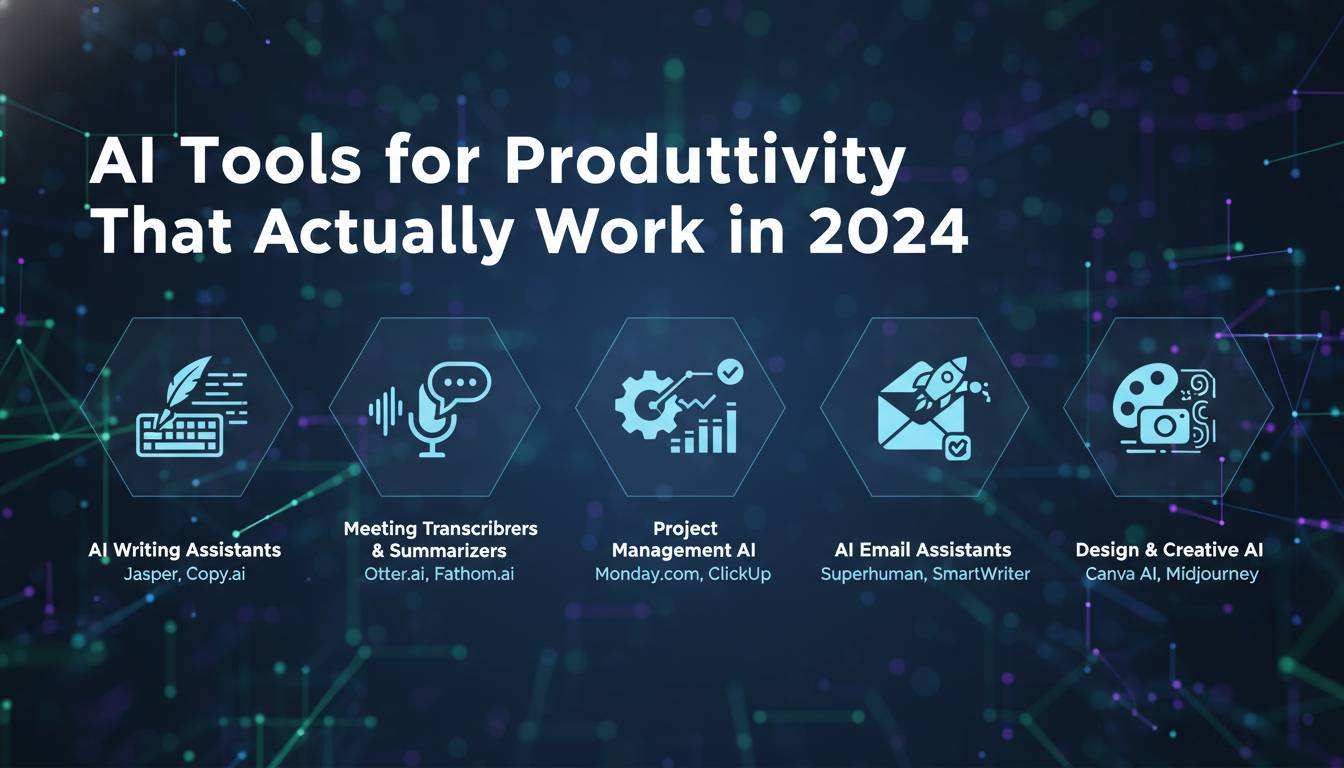
Writing takes up way more of most people’s jobs than they realize—emails, documentation, marketing copy, internal comms. These tools help without making everything sound like it was written by a robot.
ChatGPT remains the obvious starting point. It’s genuinely versatile: emails, first drafts, brainstorming, explaining complex stuff to non-experts. The free version handles most use cases well. The paid version (especially with the new model updates) is better at longer documents and staying on topic.
Claude from Anthropic is worth trying if you do a lot of long-form writing. It handles extended documents better than most and tends to produce cleaner output with less editing required. Good for reports, documentation, anything where coherence matters across thousands of words.
Jasper targets marketing teams specifically. It has templates for different content types, brand voice settings, and collaboration features. Makes more sense for teams than individuals—solo writers will probably find it overpriced.
Grammarly is less exciting but more practical for daily use. It catches things your spellchecker misses and has gotten better at suggesting clearer phrasings. The browser extension works where you already write, which means you actually use it.
Project Management and Task Tools
Project management tools have had AI features tacked on for a while, but some of them are actually useful now.
Asana has built-in prioritization and can flag potential delays before they happen. It looks at your past project data and makes suggestions. Not magic, but helpful when you have many moving pieces.
Monday.com got better at suggesting workflow setups. You tell it what kind of project you’re running, it recommends a structure. Good for teams that don’t want to build everything from scratch.
Notion became more interesting with its AI features. It can summarize meeting notes, answer questions based on stuff you’ve written, and help organize messy wikis. If your team already lives in Notion, the AI features are worth turning on.
Trello still works well for simpler project tracking. The automation features (Butler) let you set up rules without code. Not as powerful as the others for complex projects, but easy to start with.
Design Tools for Non-Designers
Most people need to make visuals sometimes and don’t have designers available. These tools help bridge that gap.
Canva is the obvious answer for most people. The AI features include automatic layouts, background removal, and Magic Studio stuff that actually works—you can describe what you want and get something reasonable back. It’s not going to replace a good designer, but it stops you from making something embarrassing.
Adobe Firefly is for people who already use Adobe products. Generative AI built into the tools you already know. The big advantage for businesses: Adobe trained it on licensed content, so you’re not exposing yourself to the same legal risks as some free generative tools.
Midjourney produces incredible images if you’re willing to learn its quirks. The Discord interface is weird, but the results speak for themselves. More for creative exploration and concept work than everyday business graphics.
Data and Research Tools
Making sense of data without becoming an analyst is where some of the biggest productivity gains happen.
Microsoft Copilot in Excel lets you ask questions in plain English. “Show me sales by region” works exactly like you’d expect. It won’t replace knowing your way around a spreadsheet, but it makes exploration much faster.
Tableau got better at finding patterns automatically. Its Einstein Discovery thing points out trends and anomalies you might miss. Helpful when you’re staring at a huge dataset and not sure where to start.
Zapier connects your apps and automates moving data around. The AI suggestions for workflows are hit or miss, but when they hit, they save real time.
Picking What to Actually Use
Here’s the uncomfortable truth: most people don’t need more tools. They need to use the tools they have more consistently.
That said, if you’re adding something new, think about:
What actually fits your existing workflow. The best tool is the one you’ll actually open. Fancy features mean nothing if they require you to change how you work.
Integration matters a lot. A tool that plugs into what you already use beats a slightly better tool that doesn’t. Think about data flow—copy-pasting between apps kills productivity gains pretty fast.
Security is worth thinking about. Some AI tools use your data to train models. If you’re working with anything sensitive, check what the provider does with your inputs. Enterprise plans usually have better protections.
Start small. Pick one thing that wastes your time and try one tool for that specifically. Adding five tools at once almost never works.
The Real Talk on Implementation
New tools fail because people don’t actually use them. Not because the tools are bad—because change is hard and busy people default to what they know.
A few things that actually help:
Just get started with one thing. Don’t try to transform your entire workflow. Pick one repetitive task and solve that one first.
Some training helps, but less than you’d think. The intuitive tools mostly teach themselves. What matters more is carving out time to actually try them.
Measure whether it’s helping. Track before and after—how long does this task actually take? If you can’t tell the difference after a month, the tool isn’t working for you, and that’s fine.
Update your expectations. AI makes you faster at drafts, not at final products. The output still needs a human to shape it into something good. Anyone claiming otherwise is selling something.
Where This Is All Going
The trajectory is pretty clear: AI assistants are getting more capable and more proactive. The next few years will bring tools that anticipate what you need before you ask.
Whether that’s helpful or unsettling depends on how we set things up now. The organizations figuring out good patterns for AI use now will adapt faster when capabilities jump again.
The practical advice hasn’t changed: try stuff, keep what works, move on from what doesn’t. The tools that matter are the ones you’ll actually use—not the ones with the most features or the loudest marketing.