Safest Crypto Wallet – Tested & Verified Options to Protect Your Crypto

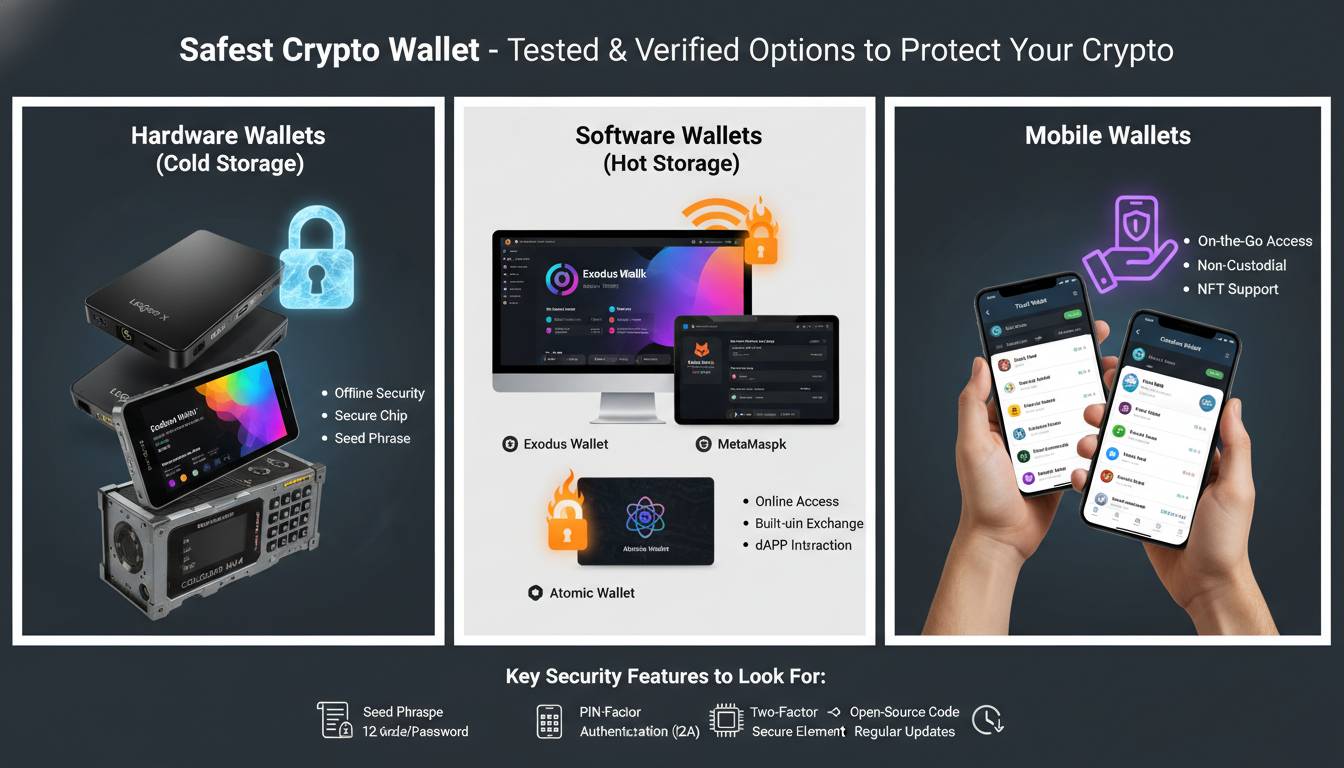
The safest crypto wallet is one that gives you complete control over your private keys while employing industry-leading security features like hardware isolation, two-factor authentication, and encrypted seed phrase backup. As cryptocurrency adoption accelerates across the United States—with over 40 million Americans owning some form of digital asset—understanding wallet security has become essential rather than optional. The difference between a secure wallet and a vulnerable one can mean the difference between maintaining your assets and losing them to hackers, scams, or simple user error.
This guide cuts through the marketing noise to provide an honest, expert-backed analysis of which wallets actually deliver superior security in 2024. Whether you’re storing Bitcoin, Ethereum, or altcoins, you’ll find actionable recommendations based on security architecture, track record, and real-world testing.
What Actually Makes a Crypto Wallet Safe
A cryptocurrency wallet doesn’t store your coins in the traditional sense. Instead, it holds your private keys—the cryptographic secrets that authorize transactions on the blockchain. When someone gains access to your private keys, they gain complete control over your funds. This fundamental understanding shapes every security decision you’ll make.
The gold standard for crypto security is cold storage, where private keys never touch an internet-connected device. Hardware wallets achieve this by generating and storing keys on specialized secure elements—physical devices disconnected from the internet except when explicitly connected for signing transactions. This isolation dramatically reduces the attack surface available to remote hackers.
Beyond cold storage, several security features distinguish premium wallets from basic ones:
- Secure Element Chips: Hardware wallets like Ledger and Trezor use dedicated cryptographic chips that resist physical tampering and side-channel attacks
- Seed Phrase Encryption: Your 12 or 24-word recovery phrase should be encrypted and never stored digitally in plaintext
- Multi-Signature Support: Require multiple approvals before transactions can proceed, protecting against single points of failure
- Firmware Verification: Legitimate wallets verify their own firmware integrity on each boot, preventing tampered devices
- Two-Factor Authentication: For software wallets, 2FA adds a critical additional verification layer beyond passwords
Wallet security also depends heavily on user practices. Even the most secure hardware wallet becomes vulnerable if you store your seed phrase in a password manager or share it with someone claiming to be support. The safest wallet is one where you understand and control every component of your security setup.
Hardware Wallets vs Software Wallets: Security Comparison
The hardware versus software wallet debate isn’t about which is “better” in absolute terms—it’s about understanding the security trade-offs and choosing what matches your threat model and usage patterns.
Hardware Wallets
Hardware wallets cost between $79 and $349 but provide security that software wallets cannot match. These devices keep your private keys entirely offline, generating transactions on the device itself and only broadcasting the signed result to your computer or phone. Even if your connected device is compromised with malware, the attacker cannot extract your private keys.
Advantages:
– Private keys never leave the secure hardware
– Protected against keyloggers, clipboard malware, and remote exploits
– Most support hundreds of cryptocurrencies
-PIN protection with exponential lockout after failed attempts
Disadvantages:
– Requires purchasing additional hardware
– Less convenient for frequent trading
– Physical device can be lost or damaged (mitigated by seed phrase backup)
Software Wallets
Software wallets run as apps on your phone or extensions in your browser. While more convenient, they keep private keys on internet-connected devices, creating inherent exposure to remote attacks. However, reputable software wallets implement robust security measures that make them suitable for smaller holdings or active trading.
Advantages:
– Free to download and use
– Seamless integration with DeFi protocols and NFT marketplaces
– Ideal for everyday transactions
– Many offer biometric authentication
Disadvantages:
– Private keys reside on internet-connected devices
– Vulnerable to mobile malware, phishing sites, and SIM-swapping
– If device is compromised, funds are at risk
The general security principle: use hardware wallets for long-term holdings and significant value, reserve software wallets for smaller amounts you need accessible for trading or payments.
Top Rated Hardware Wallets for Maximum Security
After evaluating security architecture, company track record, and independent security audits, these hardware wallets stand above the rest:
Ledger Nano X
The Ledger Nano X represents the current standard for consumer hardware wallets, combining the company’s proven Secure Element technology with Bluetooth connectivity for mobile convenience. Ledger has maintained an impressive security record over more than a decade in the industry, with no successful hacks of their Secure Element architecture.
Security Features:
– CC EAL5+ certified Secure Element chip
– Proprietary operating system (BOLOS) with app isolation
– PIN code with auto-lock after failed attempts
– Physical confirmation button required for transactions
– Seed phrase never leaves the device
Considerations: The Bluetooth feature, while convenient, has drawn scrutiny from security purists. However, Ledger’s implementation encrypts all communication, and the private keys remain isolated in the Secure Element regardless of Bluetooth status. For maximum security, you can disable Bluetooth and connect via USB only.
Trezor Model T
Trezor’s Model T offers an open-source approach to hardware wallet security, with all firmware code publicly auditable. The touch-screen interface provides a significant security advantage—you directly interact with the device rather than trusting a computer display that could be compromised by malware showing false transaction details.
Security Features:
– Open-source firmware and hardware design
– Shamir Backup support for distributing seed phrases
– Touchscreen for direct input verification
– No Bluetooth or WiFi connectivity
– PIN and passphrase protection
Considerations: Trezor’s open-source model means security researchers can audit the code, but it also means attackers can theoretically study the same code for vulnerabilities. In practice, Trezor has maintained strong security, though the lack of a certified Secure Element (they use a general-purpose microcontroller) is a consideration for some security professionals.
Foundation Devices Passport
For users prioritizing maximum security and privacy, the Passport offers sophisticated features including air-gapped transaction signing via QR codes. This means you can sign transactions without ever connecting your wallet to a computer via USB—completely eliminating that attack vector.
Security Features:
– Air-gapped operation via QR code signing
– Open-source hardware and software
– No persistent storage of secrets
– MicroSD backup capability
– Tor and Tor-to-Web support
Considerations: The Passport trades some convenience for security. Transaction signing takes longer due to the QR code process, and the learning curve is steeper than simpler hardware wallets. However, for privacy-conscious users or those storing very significant value, these trade-offs make sense.
Best Secure Software Wallets for Active Traders
Software wallets serve different needs than hardware wallets—convenience, DeFi access, and frequent transactions. These options provide the strongest security available in the software wallet category:
Coinbase Wallet
As the wallet product from America’s largest regulated cryptocurrency exchange, Coinbase Wallet offers institutional-grade security features while remaining accessible to retail users. The wallet is separate from your Coinbase exchange account, meaning you maintain full control of your private keys.
Security Features:
– Biometric authentication (Face ID, Touch ID)
– Cloud backup encryption (iOS only)—encrypted seed phrase stored in your iCloud
– Multi-layer encryption across systems
– Insurance coverage for hot wallet assets
– Device verification for new access
Considerations: Being tied to Coinbase means you’re partially trusting their infrastructure, though your actual private keys remain under your control. The cloud backup feature, while convenient, stores an encrypted copy of your seed phrase on Apple’s servers—which introduces a small theoretical attack surface that pure offline storage avoids.
MetaMask
MetaMask has become the de facto standard for Ethereum and EVM-compatible chain interactions, serving as the gateway to DeFi protocols, NFT marketplaces, and Web3 applications. Its security model prioritizes user education and explicit consent.
Security Features:
– Local key storage—keys never leave your device
– Hardware wallet integration (Ledger, Trezor, Coinbase Wallet)
– Phishing detection warnings
– Custom RPC endpoint support for network security
– Secret key encryption with password
Considerations: MetaMask’s browser extension nature makes it inherently more exposed than mobile-only wallets. Browser extensions can be compromised through malicious extensions, supply chain attacks, or browser vulnerabilities. For significant holdings, using MetaMask with a hardware wallet signer provides the best of both worlds—convenient DeFi access with hardware-level key protection.
Trust Wallet
Owned by Binance, Trust Wallet offers broad cryptocurrency support across mobile platforms with an emphasis on accessibility. The wallet emphasizes user ownership, with private keys stored locally on device.
Security Features:
– Local key storage with device encryption
– Biometric authentication options
– Web3 browser for DApp access
– Stake and earn features built-in
– Backup via seed phrase
Considerations: Trust Wallet has faced some security incidents historically, including a 2022 vulnerability that was quickly patched. The wallet is free, which means your usage supports the company through other revenue streams. For security-critical use cases, combining Trust Wallet with a hardware wallet for signing provides robust protection.
Common Security Mistakes That Put Your Crypto at Risk
Understanding what not to do matters as much as knowing which wallet to buy. These mistakes account for the majority of cryptocurrency losses:
Storing Seed Phrases Digitally
Writing your seed phrase in a notes app, taking a photo of it, or storing it in a password manager creates a digital copy that hackers can potentially access. Malware specifically designed to scan for cryptocurrency seed phrases has infected millions of devices. Your seed phrase should only exist in physical form—written on paper or stamped in metal—stored in secure physical locations.
Falling for Support Scams
No legitimate cryptocurrency company will ever ask for your seed phrase, private keys, or password. Yet phishing attacks impersonating Ledger, MetaMask, or exchange support consistently drain user accounts. Always verify URLs, never click links in unsolicited messages, and remember: anyone asking for your seed phrase is attempting to steal your funds.
Using Public WiFi for Transactions
Public networks can be intercepted, and man-in-the-middle attacks on compromised WiFi have led to cryptocurrency theft. Conduct transactions on private networks, or use a reputable VPN to encrypt your traffic when accessing crypto services on public networks.
Not Enabling All Available Security Features
Wallets often include optional security features that users disable for convenience—2FA, spending limits, address whitelisting, and transaction confirmations beyond the minimum. These features exist because they’ve prevented theft in real-world attacks. Enable everything available, especially for wallets containing significant value.
Ignoring Firmware Updates
Wallet manufacturers regularly release updates that patch newly discovered vulnerabilities. Running outdated firmware on your hardware wallet leaves known vulnerabilities unpatched. While updates sometimes introduce bugs (as with a controversial Ledger update in 2023 that sparked community concern), ignoring updates entirely is riskier than evaluating and applying them.
How to Set Up Your First Secure Wallet
Setting up a wallet correctly from the start establishes your security foundation. Follow these steps whether you’re using hardware or software wallets:
1. Purchase from Official Sources Only
Buy hardware wallets directly from the manufacturer or authorized resellers. Never purchase from eBay, Amazon third-party sellers, or secondhand markets—tampered devices with compromised seed phrase generation have been documented.
2. Verify Package Integrity
Upon receiving your hardware wallet, check for signs of tampering before opening. Some manufacturers include holographic seals that reveal tampering attempts. If anything looks suspicious, contact the manufacturer before setting up the device.
3. Initialize and Create Fresh Seed Phrase
During setup, the wallet will generate a new seed phrase. This must happen on the device itself—never enter a seed phrase provided by anyone else. Write down each word in order, double-checking spelling, and number the words (1-12 or 1-24) to prevent ordering errors.
4. Test Recovery Before Funding
Before transferring significant value, perform a test recovery: reset your wallet, restore from your seed phrase, and verify you can access the same addresses. This confirms your backup works and you recorded the seed correctly.
5. Store Seed Phrase Securely
Divide your seed phrase backup across multiple secure locations—home safe, safety deposit box, trusted family member. Consider Shamir Backup (available on Trezor and some other wallets) to split recovery capability across multiple pieces requiring thresholds to reconstruct.
6. Add Secondary Security
Enable 2FA on any associated accounts, set up device encryption, and consider additional passphrase protection if your wallet supports it. Create a unique, strong password for wallet encryption separate from your device PIN.
Conclusion
Securing your cryptocurrency requires understanding that you are your own bank—and your own security team. The safest crypto wallet depends on your specific situation: hardware wallets like the Ledger Nano X or Trezor Model T provide maximum protection for significant holdings, while software wallets like Coinbase Wallet and MetaMask offer convenient access for trading and smaller amounts.
The most secure setup combines both approaches—hardware wallets for long-term storage and large balances, software wallets for daily transactions and DeFi interactions, with both using unique, strong passwords and seed phrases stored physically in multiple secure locations.
Remember that wallet security has no finish line. Threats evolve, new vulnerabilities emerge, and your security practices must adapt. Stay informed, remain skeptical of anyone requesting sensitive information, and never stop treating your cryptocurrency security with the seriousness it deserves.
Frequently Asked Questions
What is the absolute safest crypto wallet for beginners?
The Ledger Nano X offers the best combination of security and ease-of-use for beginners. Its established track record, certified Secure Element, and intuitive mobile app make it accessible while maintaining enterprise-grade protection. The setup process is guided and user-friendly, and Ledger’s support resources are extensive.
Are hardware wallets really necessary if I only hold small amounts?
For holdings under $1,000, a hardware wallet may not be financially justified. However, using a reputable software wallet with strong security practices—biometric authentication, unique passwords, and physical seed phrase storage—provides reasonable protection for smaller amounts. As your holdings grow, upgrading to hardware wallet security becomes increasingly important.
Can my crypto be stolen from a hardware wallet?
While hardware wallets dramatically reduce theft risk, they’re not invincible. If an attacker obtains your physical device and PIN, or if you inadvertently sign a malicious transaction, funds can be stolen. Additionally, sophisticated supply chain attacks could potentially deliver tampered devices. Buying directly from manufacturers and verifying package integrity mitigates these risks.
Should I keep my crypto on an exchange or in a personal wallet?
Exchanges provide convenience but introduce counterparty risk—you’re trusting the exchange’s security and solvency. Major exchanges like Coinbase have robust security and insurance, but they’ve also experienced breaches. For long-term storage, personal wallets (hardware wallets) give you direct control. For active trading, exchanges may be more practical, though you can also transfer to personal wallets after trades.
What happens if I lose my hardware wallet?
If you lose your hardware wallet, your funds remain safe as long as you have your seed phrase backed up securely. You simply purchase a new wallet (any compatible device) and restore using your seed phrase. This is why proper seed phrase backup is critical—without it, losing your device means losing your funds permanently.
Are free software wallets safe to use?
Free software wallets from reputable companies (MetaMask, Trust Wallet, Coinbase Wallet) implement strong security measures and are safe for appropriate use cases. The “free” business model typically relies on transaction fees, embedded exchanges, or other services rather than selling user data. However, “safe” is relative—these wallets are safe for smaller amounts and active use, but significant wealth should reside in hardware wallets.