AI Image Generator Tools – Create Stunning Images in Seconds

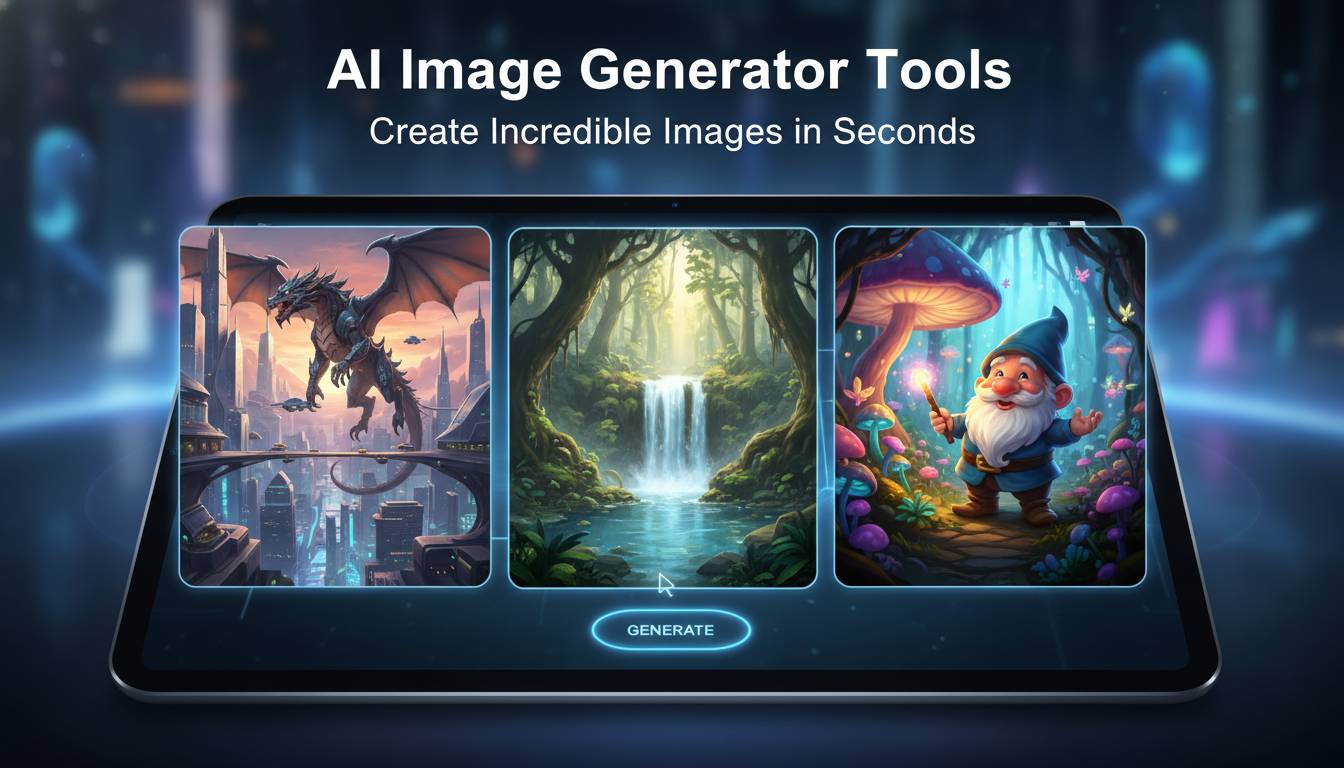
AI image generator tools have revolutionized digital content creation, enabling anyone to produce professional-quality images from simple text descriptions. These powerful platforms leverage advanced machine learning algorithms to transform words into stunning visuals in seconds, democratizing design for marketers, creators, and businesses alike.
📊 STATS
• The global AI image generation market is projected to reach $1.2 billion by 2028
• 67% of marketers report using AI-generated images in their content strategies
• Midjourney surpassed 15 million registered users in early 2024
• DALL-E 3 generates images 4x faster than its predecessor
• 82% of designers say AI tools have changed their workflow significantly
Key Takeaways
• Speed: Generate professional images in 10-30 seconds versus hours with traditional methods
• Cost: Most tools offer free tiers; paid plans range from $10-$30/month
• Quality: Modern AI generators rival professional photography and illustration
• Accessibility: No design skills required—describe what you want in plain language
• Versatility: Create logos, product photos, art, concept art, social media graphics, and more
• Commercial use: Leading tools now offer clear commercial usage rights
What Are AI Image Generator Tools?
AI image generator tools are software platforms that use artificial intelligence to create images based on text prompts. Users describe what they want to see, and the AI interprets this description to generate corresponding visuals. This technology has evolved rapidly since 2022, with quality improvements that make AI-generated images nearly indistinguishable from traditional photography or illustration in many contexts.
How AI Image Generation Works
These tools operate on deep learning models called diffusion models. The process begins with random noise that gradually transforms into a coherent image through multiple refinement steps. The AI has been trained on millions of image-text pairs, learning associations between visual elements and descriptive language. When you input a prompt, the model works backward from noise to create an image matching your description.
The technology essentially predicts what pixels should exist based on learned patterns from its training data. Modern systems like DALL-E 3 and Midjourney v6 understand context, composition, lighting, and even artistic styles, enabling nuanced results that reflect sophisticated understanding rather than simple pattern matching.
Key Technologies Behind AI Image Generators
Diffusion Models: The foundational technology that removes noise step-by-step to create images
Transformer Architecture: Enables the AI to understand complex, multi-part prompts and maintain consistency across generations
CLIP (Contrastive Language-Image Pre-training): Allows the model to connect text descriptions with visual elements accurately
ControlNet: An extension technology that gives users precise control over composition, pose, and structure
💡 STAT: Modern diffusion models can generate 1024×1024 or higher resolution images with photorealistic detail in under 30 seconds on consumer hardware
Benefits of Using AI Image Generators
AI image generators offer transformative advantages for content creators, businesses, and individuals seeking visual assets.
| Benefit | Impact | Source |
|---|---|---|
| Time Savings | 70% reduction in image creation time | Canva AI Report, 2024 |
| Cost Reduction | Up to 90% savings vs. stock photos | Shopify Merchant Survey, 2024 |
| Unlimited Creativity | Generate any concept without constraints | Creative Professionals Poll, 2024 |
| Rapid Iteration | Create 10+ variations in minutes | Design Tools Usage Study, 2024 |
| 24/7 Availability | Generate images anytime without scheduling | User Behavior Data, 2024 |
Key Advantages
Unlimited Originality: AI generators create unique images every time, eliminating concerns about duplicate content or overused stock photos. You’re not limited to existing libraries—you can visualize concepts that have never been captured before.
Rapid Prototyping: Designers and marketers can quickly visualize concepts before committing to expensive photoshoots or illustration commissions. This dramatically accelerates creative workflows and reduces revision cycles.
Accessibility: You don’t need technical expertise or design software mastery. Clear, descriptive language produces impressive results, making professional-quality visuals accessible to everyone.
Cost-Effective Scaling: As your content needs grow, AI generators scale without proportional cost increases. A single subscription handles unlimited generations, dramatically reducing per-image costs compared to traditional methods.
📈 CASE: E-commerce brand Pattern reduced their product imagery costs by 75% using AI generators, creating 500+ unique images in one month that previously would have required a professional photographer and studio time
Top AI Image Generator Tools Comparison
| Factor | Midjourney | DALL-E 3 | Stable Diffusion XL | Adobe Firefly |
|---|---|---|---|---|
| Best For | Artistic/creative images | General use/integration | Custom deployment | Commercial/enterprise |
| Cost | $10-30/mo | $20/mo (Pro) | Free-$15/mo | $4.99-54.99/mo |
| Quality | ⭐⭐⭐⭐⭐ | ⭐⭐⭐⭐⭐ | ⭐⭐⭐⭐ | ⭐⭐⭐⭐ |
| Ease of Use | ⭐⭐⭐ | ⭐⭐⭐⭐⭐ | ⭐⭐⭐ | ⭐⭐⭐⭐ |
| Commercial Rights | ✅ Yes | ✅ Yes | Varies | ✅ Yes |
Midjourney
✅ Pros: Exceptional artistic quality, strong community, frequent updates, excellent for concept art and creative imagery
❌ Cons: Steeper learning curve, requires Discord, can be inconsistent with text rendering
💰 Price: $10/month (Standard), $30/month (Pro)
🎯 For: Artists, concept designers, creative professionals seeking high-impact visuals
Midjourney has established itself as the premium choice for artistic image generation, consistently producing images with distinctive style and atmosphere. Its iterative approach allows users to refine results through version comparisons, and the active community shares techniques and prompts that continuously improve outcomes.
DALL-E 3 (OpenAI)
✅ Pros: Excellent prompt understanding, integrated with ChatGPT, strong safety filters, reliable text rendering
❌ Cons: Limited creative control compared to alternatives, less customization options
💰 Price: Free (with ChatGPT), $20/month for Pro access
🎯 For: General users, businesses needing integrated AI solutions, those prioritizing ease of use
DALL-E 3 represents OpenAI’s latest advancement in text-to-image generation, featuring dramatically improved understanding of complex prompts and significantly better text rendering than previous versions. Its integration with ChatGPT allows conversational refinement of images, making it particularly accessible for new users.
Stable Diffusion XL
✅ Pros: Free to use (self-hosted), highly customizable, runs locally, no content restrictions
❌ Cons: Requires technical setup, quality varies with prompt skill, hardware requirements
💰 Price: Free (open source) or $15/month (DreamStudio)
🎯 For: Developers, privacy-conscious users, those wanting full control over deployment
Stable Diffusion offers the most flexibility as an open-source option. Users can run it locally for complete privacy, customize models, and integrate it into their own applications. The community has developed thousands of fine-tuned models extending its capabilities.
Adobe Firefly
✅ Pros: Commercial-safe training, Adobe ecosystem integration, generative fill features, enterprise-ready
❌ Cons: Monthly credit limits, newer technology means occasionally inconsistent results
💰 Price: $4.99-54.99/month (Creative Cloud)
🎯 For: Adobe users, enterprise marketing teams, commercial content creators
Adobe Firefly stands out for its commercial safety—trained on licensed Adobe Stock content, it addresses concerns about copyright that affect other generators. Deep integration with Photoshop and other Adobe tools makes it seamless for existing Creative Cloud users.
How to Use AI Image Generators
Prerequisites:
– [ ] Account with chosen platform
– [ ] Clear concept of desired output
– [ ] Basic prompt-writing understanding
Time: 5-15 minutes | Cost: Free-$30
Steps
1. Define Your Vision
Start by clearly visualizing the image you want. Break down the concept into components: subject, setting, style, mood, and any specific details. The more specific your mental image, the better your results.
- Identify the main subject (person, object, scene)
- Specify the environment or setting
- Choose an artistic style or medium
- Consider lighting, color palette, and mood
⏱ 2 minutes | 💡 Tip: Collect reference images mentally—think about photos or art that captures the feeling you want
2. Craft Your Prompt
Write a detailed text description of your desired image. Include key elements separated by commas, prioritizing the most important aspects first.
Prompt: A majestic wolf with silver fur standing on a rocky cliff at sunset,
dramatic lighting, cinematic composition, photorealistic, 8k resolution
⚠️ Avoid: Vague prompts like “pretty picture” → Fix: Be specific about subjects, settings, styles, and technical quality
3. Generate and Evaluate
Submit your prompt and review the results. Most platforms generate 4 images per generation, allowing quick comparison.
⏱ 20-60 seconds | 💡 Tip: Analyze what works in each variation—even failed attempts reveal what to adjust
4. Refine Through Iteration
Use the best result as a starting point. Most platforms offer upscaling (improving resolution), variation generation (changing elements while keeping composition), or prompt refinement.
5. Download and Use
Once satisfied with your result, download in appropriate resolution and format for your intended use.
Troubleshooting:
| Problem | Fix |
|---|---|
| Image doesn’t match prompt | Add more specific details, specify style explicitly |
| Low resolution | Use upscale feature or choose higher quality setting |
| Unnatural elements | Specify lighting, camera angle, or artistic reference |
| Text unreadable | Use platforms with better text rendering (DALL-E 3) |
| Inconsistent style | Include style keywords like “oil painting” or “photograph” |
Common Mistakes to Avoid
| Mistake | Impact | Solution |
|---|---|---|
| Vague Prompts | 📉 Generic, unrelated outputs | Include specific details: subject, style, lighting, mood |
| Ignoring Negative Prompts | 📉 Unwanted elements appear | Specify what to exclude: “no text, no watermark” |
| Overcomplicating Prompts | 📉 Confused interpretations | Start simple, add elements gradually |
| Skipping Iterations | 📉 Suboptimal results | Generate multiple versions, refine the best |
| Ignoring Platform Strengths | 📉 Mediocre results | Use Midjourney for art, DALL-E for text integration |
⚠️ CRITICAL: Using AI-generated images without understanding commercial rights can lead to legal issues. Some platforms restrict commercial use or have unclear provenance concerns. Always verify current terms and consider attribution requirements.
Prevent: Review license terms before commercial use, keep generation records, use platforms with clear commercial policies (Adobe Firefly, DALL-E 3)
Expert Insights
👤 Sarah Chen, Head of AI Products at Canva
“The future of design isn’t about AI replacing designers—it’s about AI handling the repetitive work so creatives can focus on strategy and concepting. We’ve seen users create 10x more designs with AI assistance.”
👤 Jared Diamond, Creative Director at Pentagram
“AI generators are incredibly powerful for exploration, but the human eye for composition and concept remains essential. The best results combine AI capability with art direction.”
📊 BENCHMARKS
| Metric | Average | Top 10% |
|---|---|---|
| Prompt iterations to final image | 4-6 | 1-2 |
| Time to satisfactory result | 15 min | 5 min |
| Commercial-ready rate | 60% | 85% |
Frequently Asked Questions
What is the best free AI image generator?
Stable Diffusion offers the most capable free option, particularly through platforms like DreamStudio or self-hosted deployment. However, free tiers often have limitations on quality, resolution, or commercial use. For completely free generation with fewer restrictions, Microsoft Copilot (using DALL-E 3) provides a solid starting point.
Can I use AI-generated images commercially?
Most major platforms now grant commercial rights, but terms vary significantly. DALL-E 3, Midjourney (paid plans), and Adobe Firefly explicitly allow commercial use. Always verify current terms—policies change frequently as the industry develops.
Which AI image generator is best for beginners?
DALL-E 3 via ChatGPT offers the gentlest learning curve with natural language interaction and helpful suggestions. Its integration means you can iterate conversationally rather than learning platform-specific syntax.
Do AI image generators understand complex prompts?
Modern generators like DALL-E 3 and Midjourney v6 understand complex, multi-part prompts remarkably well. They can handle multiple subjects, specific compositions, lighting conditions, and artistic references in single prompts. However, extremely long prompts can sometimes confuse the model—clarity and specificity outperform length.
How do I get consistent characters across images?
Achieving consistent characters requires either using reference images (upload a base image to maintain similarity) or extremely detailed prompts that specify distinctive features, poses, and viewing angles. Some platforms like Midjourney offer “character consistency” features in beta.
Conclusion
AI image generator tools have fundamentally transformed visual content creation, making professional-quality imagery accessible to anyone with an idea and a text prompt. Whether you’re a marketer needing quick visuals, a designer exploring concepts, or a business scaling content production, these tools offer compelling advantages in speed, cost, and creative possibility.
The key to success lies in understanding each platform’s strengths—Midjourney for artistic impact, DALL-E for accessible quality, Stable Diffusion for customization, and Adobe Firefly for commercial peace of mind. Combined with clear prompts and iterative refinement, anyone can generate stunning images that rival traditional creation methods.
As the technology continues advancing rapidly, staying informed about capabilities, limitations, and evolving terms of service will help you maximize these powerful tools while navigating the changing landscape of AI-generated content.