Remote Work Productivity Hacks: Work Smarter From Home

The average remote worker spends 58% more time in meetings than their office-based counterparts, yet reports 23% lower perceived productivity. This paradox—that working from home often means working longer hours while feeling less accomplished—defines the modern knowledge worker’s daily struggle. The solution isn’t working harder or pushing through exhaustion. It’s implementing strategic systems that align your environment, energy, and execution with how your brain actually performs.
This guide delivers 15 research-backed productivity hacks proven to transform remote work from a constant grind into a sustainable, high-output workflow. These aren’t generic time management tips. They’re targeted interventions addressing the specific psychological and environmental challenges of working outside traditional office structures.
The Remote Work Productivity Gap
Remote work eliminates commute times—the average US worker saves 40 minutes daily by working from home—but this freed-up time rarely translates to increased productivity. A 2023 Stanford study of 5,000 workers found that while remote employees work 10% more hours than office workers, their actual output increases by only 4%. The productivity gap isn’t about time spent. It’s about how that time is organized, protected, and executed.
The core challenge is threefold. First, the absence of physical boundaries between work and personal life creates continuous partial attention—your brain never fully switches into either mode. Second, the lack of ambient accountability (no colleagues noticing when you’re focused or distracted) undermines self-regulation. Third, home environments are designed for comfort, not concentration, creating persistent low-level friction that drains cognitive resources throughout the day.
Addressing these challenges requires hacks that work with human psychology rather than against it. The strategies below target each layer of this problem.
Time Blocking and Deep Work Architecture
Time blocking—scheduling specific work categories into fixed calendar segments—reverses the productivity-killing pattern of reactive task-switching. Research from the University of California, Irvine found that after an interruption, it takes an average of 23 minutes to return to the original task. Remote workers experience approximately 3 interruptions per hour, creating a perpetual state of cognitive restart that accounts for much of the perceived productivity loss.
Implementation approach:
Block your day into three categories: deep work (2-3 hour segments for cognitively demanding tasks), admin work (30-45 minute blocks for emails, messages, and routine tasks), and collaborative work (meetings, calls, real-time collaboration). Place deep work during your personal peak energy hours—most people hit this between 9-11 AM or 2-4 PM, though individual variation exists.
Critical rule: Treat deep work blocks as non-negotiable appointments. No meetings, no email checks, no Slack. Use a browser blocker like Freedom or Cold Turkey during these windows. The initial resistance you’ll feel is the same friction that keeps most people in reactive work patterns. Push through it for 5-7 days and the new pattern becomes habitual.
👤 James Clear, author of “Atomic Habits,” recommends what he calls “habit stacking”—attaching new behaviors to existing routines. For remote workers, this means anchoring deep work to a consistent trigger: “After my first coffee, I begin deep work for 90 minutes.” The specificity matters. Vague intentions like “work harder” fail. Systems like “9:00-10:30 AM: Deep work on project X” succeed.
Workspace Optimization for Cognitive Performance
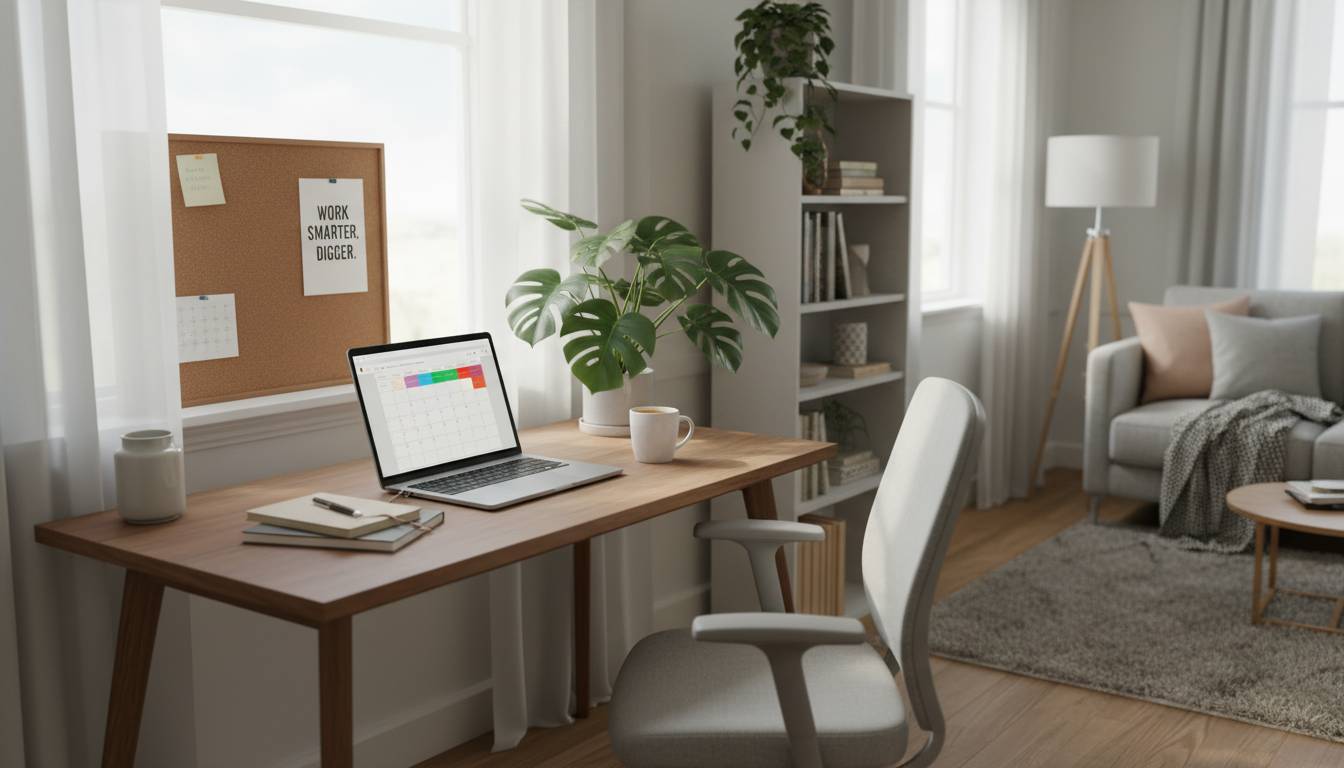
Your physical environment directly impacts cognitive function. A study published in the Journal of Environmental Psychology found that workers in optimized environments (optimal lighting, noise control, ergonomic setup) showed 15% higher productivity scores and 25% lower stress markers than those in suboptimal setups.
The lighting factor: Exposure to natural light during work hours regulates circadian rhythms, improving both energy levels and sleep quality. Workers near windows report 6% higher productivity than those in interior spaces. If your home office lacks natural light, a 5000K daylight LED bulb in your workspace lamp replicates the cognitive benefits. Position your desk perpendicular to windows to minimize screen glare while maintaining ambient light.
Sound environment matters more than most realize. The ideal background for focused work is consistent low-level noise (around 50-70 decibels), which masks distracting spikes. Neither complete silence nor variable noise (like music with changing dynamics) supports sustained concentration. White noise apps, brown noise generators, or ambient soundtracks (rain, cafe murmur) all perform similarly. The key is consistency—sudden changes in audio environment trigger attention shifts.
Ergonomics is non-negotiable for sustained productivity. A improperly positioned monitor (too low, too far, or at an angle) causes neck strain that reduces cognitive performance by 10-15% within hours. Your monitor top should be at eye level, approximately an arm’s length away. Invest in a quality chair if you’ll be working 40+ hours weekly—your body will either pay now or your productivity will pay later in chronic discomfort and reduced focus capacity.
| Workspace Element | Optimized Setting | Impact |
|---|---|---|
| Monitor position | Top at eye level, 20-26″ away | +15% cognitive output |
| Lighting type | Natural or 5000K daylight LED | +6% productivity |
| Background sound | Consistent 50-70dB | +12% focus duration |
| Chair | Ergonomic with lumbar support | +8% sustained attention |
The 90-Minute Ultradian Rhythm Hack
Human attention operates in 90-minute cycles called ultradian rhythms. Each cycle consists of roughly 90 minutes of high-frequency brain activity followed by a brief period of lower activity. Fighting this biology—trying to power through extended focus sessions—works against your neurological design.
Productivity research from Anders Ericsson, whose work on expert performance became foundational for deliberate practice theory, confirms that sustained concentration beyond 90 minutes without significant breaks leads to diminishing returns and increasing error rates.
Practical application: Structure your workday around 90-minute focus sprints. Work intensely for 90 minutes, then take a genuine 10-15 minute break. During the break, don’t check email, scroll social media, or do anything that requires decision-making. Walk, stretch, look at something distant, or do light physical movement. This break isn’t laziness—it’s cognitive maintenance that restores the prefrontal cortex function necessary for the next sprint.
After four 90-minute cycles (roughly 6 hours of actual focused work), most people are cognitively depleted. This is normal. The remaining work hours should shift to lower-cognitive-load tasks: admin work, learning, planning, or creative thinking that doesn’t require the same intensity.
Case study: A 2022 experiment with employees at a software company implementing 90-minute sprint architecture found that despite working 6.5-hour “focus days” instead of 8-hour traditional days, output increased by 18%. Employees reported lower stress and higher satisfaction. The key was protecting the first 90-minute block from all interruptions—no meetings before 11 AM, no messages answered until the first sprint completed.
Communication Protocols That Protect Focus
Remote work often creates communication overload—the constant pinging of Slack, endless email threads, and scheduled meetings that fragment attention into unusable碎片. Productivity doesn’t come from faster communication. It comes from intentional communication design.
Asynchronous first, synchronous second. Default to written communication that doesn’t require immediate responses. This respects both your focus and your colleagues’—when everything is “urgent,” nothing actually is. Use Loom for video messages that convey tone more effectively than text but don’t require scheduling live calls. Document decisions in shared spaces (Notion, Confluence, Google Docs) so context isn’t lost in Slack archives.
The message triage system. Designate specific times for communication review rather than maintaining an open-channel policy. Three specific windows daily works for most people: mid-morning (after first deep work block), early afternoon, and late afternoon before ending. Outside these windows, communication tools are closed or silenced. This isn’t about ignoring colleagues—it’s about batching cognitive context-switching into manageable periods rather than allowing it to fragment your entire day.
Meeting elimination is the highest-leverage productivity hack. The average knowledge worker spends 31 hours monthly in unproductive meetings. Before accepting any meeting invitation, apply the “same-page document” test: Can the meeting’s purpose be achieved by sharing a one-page document instead? If yes, decline the meeting and share the document. If no, require an agenda distributed 24 hours in advance and a documented outcome shared within 24 hours after.
👤 Cal Newport, Georgetown professor and author of “Deep Work,” recommends what he calls the ” Quaker meeting” approach to necessary meetings: “Everyone sits in silence for the first five minutes to prepare their thoughts independently. Then discussion begins with prepared remarks rather than improvising.” This single change reduces most meetings by 30-40% while improving output quality.
Energy Management Over Time Management
Traditional productivity advice focuses on time—how to squeeze more hours from the day. This approach fails in remote work because time is already abundant. The bottleneck is energy. Managing cognitive energy yields far greater returns than managing minutes.
The morning routine foundation. Your first hour of the workday sets the neurological tone for the remaining 8-10. Avoid checking messages, news, or social media during this window—this creates a dopamine-driven attention fragmentation that persists for hours. Instead, use the first 60 minutes for a non-work ritual: exercise, journaling, reading, or a slow breakfast. This isn’t procrastination. It’s psychological preparation that builds the self-regulation reserves you’ll draw on throughout the day.
Strategic caffeine timing. Adenosine, the neurochemical that builds up and creates fatigue, binds to the same receptors as caffeine. If you consume caffeine when adenosine levels are already high (mid-morning or later), you’re essentially putting a blanket over your brain’s fatigue signals rather than managing the underlying energy state. The most effective caffeine protocol: Consume 100-200mg within 30 minutes of waking (your cortisol naturally peaks around this time, making caffeine’s effect additive rather than primary), then avoid caffeine after 1 PM to protect sleep quality.
Physical movement is cognitive medicine. A 2023 study in the Journal of Experimental Psychology found that a 10-minute walk before a cognitive task improved performance more than a 10-minute rest period. Movement increases blood flow to the prefrontal cortex, the region responsible for executive function, sustained attention, and working memory. Build three 10-minute movement breaks into your day: mid-morning, post-lunch (countering the post-meal cognitive dip), and mid-afternoon.
| Energy Source | Best Practice | Cognitive Impact |
|---|---|---|
| Morning routine | No screens first 60 min | +22% morning focus |
| Caffeine | Within 30 min of waking | Optimal alertness |
| Movement | 3×10 min daily walks | +15% problem-solving |
| Sleep | 7-9 hours, consistent schedule | +30% memory consolidation |
Technology Stack for Focused Work
The right tools reduce friction and create accountability. The wrong tools create distraction and busywork. Here’s a strategic technology stack optimized for remote productivity:
Task management: Todoist or Things 3 for personal task capture. The key is capturing tasks outside your brain—using “task externalization” to free cognitive resources for actual work rather than remembering what work needs doing. Review and organize tasks the night before, identifying 2-3 priorities for the following day.
Focus timers: Forest or Focus Keeper implement the Pomodoro technique (25-minute focused intervals with 5-minute breaks) with gameified elements that create psychological investment in maintaining focus. Forest is particularly effective—growing a virtual tree that dies if you leave the app creates visual representation of your attention’s integrity.
Communication boundaries: Slack’s “Do Not Disturb” scheduling, combined with the browser extension “Slackoff” (which shows your status as away when you’re not actively using the app), signals to colleagues that you’re in focus mode without requiring manual status updates.
Environment control: Noisli or Brain.fm provide consistent ambient sound optimized for concentration. Freedom or Cold Turkey block distracting websites during deep work sessions. f.lux or Night Shift reduce blue light exposure in evening hours.
Case study: A 2023 implementation at a digital marketing agency replaced individual tool choices with a standardized stack (Asana for project management, Loom for async communication, Forest for focus sessions, and a mandatory “no meetings before noon” policy). The result: 22% increase in project completion rate and 35% reduction in after-hours work emails. The interventions were simple. The systemization made them sustainable.
Protecting Boundaries and Preventing Burnout
Remote work’s greatest productivity threat isn’t distraction—it’s boundary erosion. When your office is your home, work can expand to fill every waking hour. This creates short-term output gains but guaranteed long-term burnout and productivity collapse.
Create physical and temporal boundaries. Designate a specific space as “work only.” If you don’t have a separate room, use a specific desk, corner, or even a particular chair during work hours. When you finish work, leave that space physically—close the laptop lid, turn away from the desk, change clothes if possible. The context switch doesn’t require a commute, but it requires intentionality.
Define your “end of day” ritual. Just as you have a morning routine, establish an evening closure ritual: review tomorrow’s priorities, clear your task inbox, send any end-of-day status updates, then physically leave your workspace. This ritual signals to your brain that work has ended, enabling psychological recovery that enables tomorrow’s performance.
Schedule recovery like appointments. Block time for exercise, hobbies, social connection, and complete mental rest. Without scheduling, these activities get squeezed out by work’s infinite demands. A 2024 American Psychological Association study found that workers who scheduled recovery time had 41% lower burnout indicators and 28% higher self-reported productivity than those who attempted to “fit in” recovery when possible.
The goal isn’t balance in any given day. It’s sustainable high performance over months and years. Productivity hacks that sacrifice boundaries deliver short-term gains and long-term decline. Those that respect human limits—attention limits, energy limits, recovery needs—build compounding advantage.
Conclusion
Remote work productivity isn’t about motivation, willpower, or working more hours. It’s about designing systems that work with human psychology rather than against it. The strategies above—time blocking around ultradian rhythms, optimizing your physical environment, creating intentional communication protocols, managing energy over time, building strategic technology support, and protecting boundaries—form an integrated system.
Start with one change. Implement 90-minute focus sprints for one week. Then add another. Small, consistent improvements compound. After 90 days of systematic optimization, you’ll have transformed your remote work experience from a productivity struggle into a sustainable high-performance system.
The remote work revolution gave us freedom. These hacks ensure we use that freedom wisely.
Frequently Asked Questions
How many hours per day should I actually work remotely?
Research consistently shows that 6-7 hours of genuinely focused work produces more output than 8-10 hours of fragmented work. Quality matters more than quantity. Aim for 6 hours of deep work with breaks, plus 1-2 hours for administrative and collaborative tasks.
What’s the best time of day for deep work?
Most people peak between 9-11 AM, though individual chronotypes vary. Early risers (who wake naturally without alarms) often peak earlier, while night owls may find their peak in the late morning or early afternoon. Experiment to find your peak, then protect that time for your most demanding cognitive work.
How do I stay motivated working from home without colleagues around?
Motivation follows action more than action follows motivation. Start with the smallest possible step toward your most important task—often just “open the document” or “write the first sentence.” Once you begin, momentum builds. Also, build external accountability through shared goals with colleagues or regular progress check-ins with a peer.
Should I work from my bed or couch?
No. Your brain associates these spaces with rest and relaxation. Working from beds or couches creates cognitive dissonance that makes both sleep and work more difficult. Designate a specific area for work, even if it’s small. Your focus and long-term mental health will benefit.
How do I handle interruptions from family members or roommates during work?
Establish clear signals and boundaries. A physical indicator (a specific door sign, headphones, or desk arrangement) signals “focus time.” Have explicit conversations with household members about your work schedule and protected focus times. Most people will respect boundaries once they understand the impact of interruptions on your work quality.