Smart Home Devices Guide: Complete Setup for Beginners

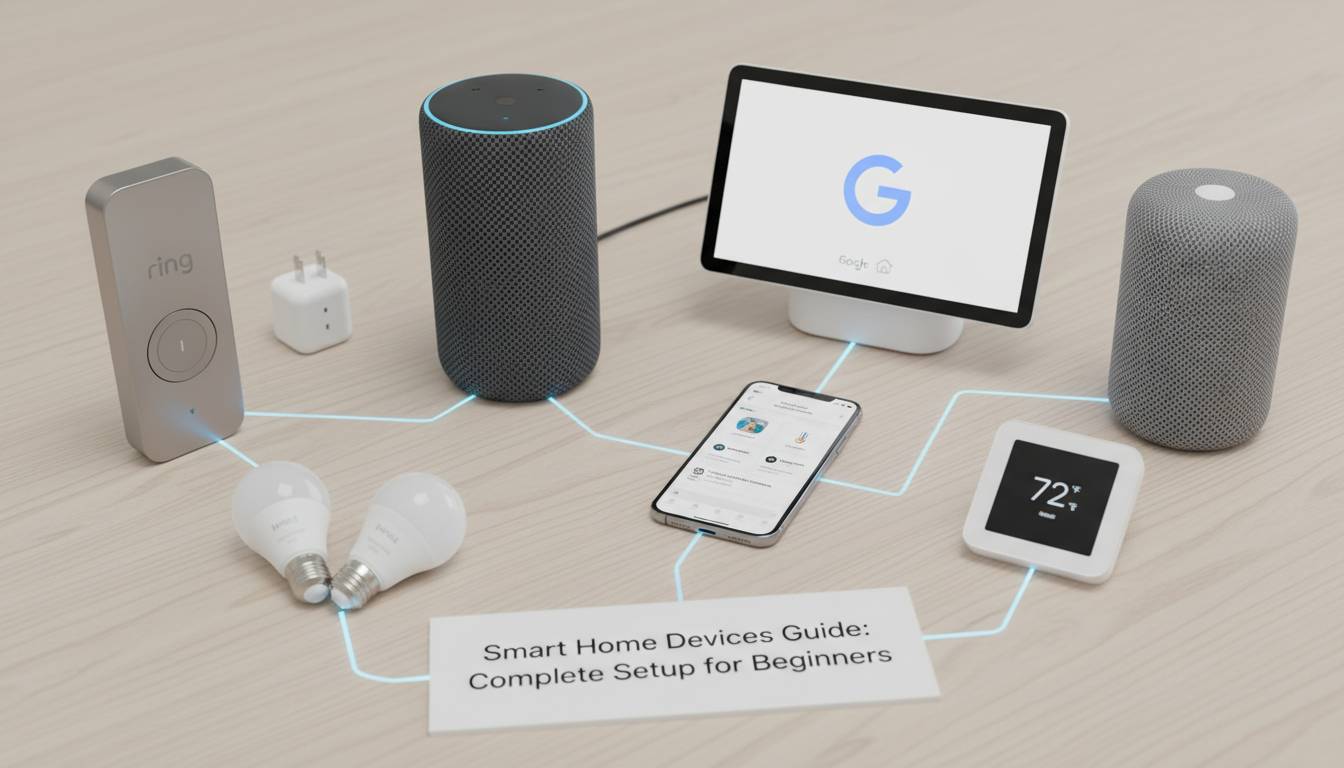
Building a smart home doesn’t require a engineering degree or a massive budget. In fact, most Americans can transform their living space into an intelligent, automated environment for under $500. This guide walks you through every decision—from choosing your first device to creating a seamless ecosystem that works while you sleep.
What Makes a Home “Smart”?
A smart home contains internet-connected devices that can be controlled remotely, automated based on schedules or triggers, and often communicate with each other. Unlike traditional appliances that operate independently, smart devices learn your habits and respond to voice commands, smartphone taps, or environmental changes.
The core components of any smart home include a central hub or bridge (sometimes), a connection protocol (WiFi, Zigbee, Z-Wave, or Matter), and the devices themselves. Understanding these fundamentals prevents the common mistake of buying incompatible products that can’t “talk” to each other.
Smart home technology has matured significantly since the first connected thermostats launched over a decade ago. According to Consumer Technology Association research, approximately 57% of U.S. households now own at least one smart home device, up from just 15% in 2017. This growth reflects both falling prices and improved reliability.
Core Smart Home Device Categories
Smart Lighting
Smart bulbs and switches represent the easiest entry point into home automation. Products from Philips Hue, LIFX, and TP-Link’s Kasa lineup cost between $10 and $70 per bulb and install in seconds—just replace your existing bulb or flip the switch.
Key features to evaluate:
- Color range (white-only vs. full RGB)
- Brightness (lumens)
- Compatibility with your voice assistant
- Whether they require a hub
Smart lighting reduces energy consumption by up to 75% when used with motion sensors and scheduling, according to ENERGY STAR data. Leaving lights on in empty rooms becomes a thing of the past.
Smart Thermostats
The Nest Learning Thermostat and ecobee models have become household names, and for good reason. These devices learn your temperature preferences, create schedules automatically, and can reduce heating and cooling costs by 10-15% annually.
Installation considerations: Most smart thermostats require a C-wire (common wire) for constant power. Older homes without this wiring may need professional installation or a compatible model like the Nest Thermostat E, which was designed for simpler setups.
Smart Security Systems
This category encompasses doorbell cameras, outdoor cameras, smart locks, and motion sensors. Ring, Arlo, and SimpliSafe dominate this space, offering packages starting around $200.
Essential components for beginners:
- Video doorbell (see who’s at your door remotely)
- Smart lock (keyless entry, guest access codes)
- 2-3 indoor/outdoor cameras
- Window and door sensors
Modern systems integrate with police dispatch in some municipalities, though monitoring subscriptions typically cost $10-30 monthly.
Smart Speakers and Displays
Amazon Echo, Google Nest, and Apple HomePod devices serve as the voice control center for your smart home. Beyond playing music and answering questions, these devices act as hubs for Zigbee or Matter protocols and can trigger routines—”Good morning” that adjusts the thermostat, turns on lights, and reads your calendar.
Display-equipped models like the Echo Show add visual interfaces for doorbell feeds and security cameras.
Smart Plugs and Switches
At $15-25 per unit, smart plugs represent the most budget-friendly automation tool. Plug in a lamp, fan, or coffee maker and control it remotely or on a schedule. TP-Link Kasa, Wemo, and Amazon Smart Plug offer reliable performance without breaking the bank.
Choosing Your Ecosystem
One of the most consequential decisions you’ll make is selecting your primary ecosystem. Once committed, switching becomes expensive and time-consuming.
Amazon Alexa
Best for: Budget-conscious users, Amazon Prime members, wide device compatibility
Amazon’s Alexa platform supports more third-party devices than any competitor—over 140,000 smart home products as of 2024. The Echo ecosystem offers devices at every price point, and IFTTT (If This Then That) integration extends functionality further.
Weaknesses: Privacy concerns (devices constantly listen for wake words), less sophisticated AI than Google, occasional response latency.
Google Home (Nest)
Best for: Android users, search enthusiasts, superior voice recognition
Google’s Assistant understands natural language better than Alexa and integrates seamlessly with Google Calendar, Maps, and search. The Nest ecosystem provides excellent self-contained security and climate solutions.
Weaknesses: Fewer compatible devices than Alexa, less flexible routines, more expensive proprietary devices.
Apple HomeKit
Best for: iPhone users, privacy advocates, tight integration with Apple ecosystem
HomeKit offers the most robust security encryption and the cleanest user interface. Siri has improved substantially but still lags competitors in natural conversation. The requirement that devices receive specific HomeKit certification limits product selection.
Weaknesses: Higher device costs, limited third-party integration, requires Apple devices for full functionality.
Matter: The Future Standard
Matter, launched in 2022, represents a new universal standard allowing devices from different manufacturers to work together seamlessly. Products carrying the Matter logo should work across Alexa, Google, Apple, and Samsung SmartThings ecosystems.
Buying tip: Look for Matter-certified devices when possible. This ensures your purchase won’t become obsolete as the industry evolves.
Recommended Starter Kit for Beginners
Don’t overwhelm yourself with a complete transformation in week one. Build gradually, starting with devices that provide immediate, noticeable benefits.
Phase 1: Foundation ($100-150)
- Smart speaker or display (Echo Dot at $50 or Nest Mini at $100 with screen)
- 2-3 smart bulbs (Philips Hue White Starter Kit at $80 or TP-Link Kasa bulbs at $30)
- 2-3 smart plugs
This kit lets you control lights, schedule coffee makers, and experience voice control without significant investment.
Phase 2: Security and Convenience ($200-400)
- Video doorbell (Ring Video Doorbell at $100 or Google Nest Doorbell at $170)
- Smart lock for front door (August WiFi Smart Lock at $230 or Schlage Encode at $250)
- Smart thermostat (ecobee Lite at $170 or Google Nest Learning Thermostat at $250)
Phase 3: Expansion ($300-500)
- Additional cameras
- Motion sensors and contact sensors
- Smart blinds or irrigation controller
This phased approach lets you learn each device’s capabilities before adding complexity.
Setting Up Your Smart Home: Practical Tips
Network Considerations
Your WiFi network forms the backbone of your smart home. Invest in a quality router—mesh systems from Eero, Google Nest Wifi, or TP-Link Deco handle multiple devices better than older single-router setups.
Recommendations:
- Create a separate guest network for IoT devices
- Use strong, unique passwords for each device
- Enable two-factor authentication where available
- Keep firmware updated
Placement Matters
Smart speakers need to hear you. Place them centrally in living areas away from TVs and loud appliances. Thermostats belong on interior walls away from drafts and direct sunlight. Cameras should cover entry points while respecting neighbor privacy.
Automations Over Manual Control
The true value of smart homes emerges through automation, not remote clicking. Set up routines that trigger based on:
- Time of day (lights dim at sunset)
- Location (thermostat adjusts when everyone leaves)
- Device triggers (motion camera activation)
- Voice shortcuts (“Goodnight” turns everything off)
Common Mistakes to Avoid
Buying Incompatible Devices
Before any purchase, confirm compatibility with your chosen ecosystem. A device listed as “works with Alexa” may require additional hubs or subscriptions. Check the official compatibility lists on Amazon, Google, and Apple websites.
Over-Hubbing
Early smart homes required separate hubs for each protocol—Zigbee, Z-Wave, and WiFi. Modern devices increasingly work directly over WiFi or the Matter standard, reducing complexity and cost. Unless you have specific professional requirements, skip the dedicated hub and use your smart speaker as the primary controller.
Ignoring Privacy Settings
Default settings on many devices lean toward data collection. During setup, review permissions, disable unnecessary sharing, and opt out of voice recording storage when possible. Consider muting microphone buttons when not in active use.
Setting Too Many Automations at Once
When something breaks, identifying the culprit becomes impossible. Add automations methodically, testing each thoroughly before introducing the next.
Cost Breakdown and Value Analysis
| Device Category | Budget Option | Mid-Range | Premium |
|---|---|---|---|
| Smart Bulbs (4-pack) | $30 (Kasa) | $80 (Philips Hue) | $150 (LIFX) |
| Video Doorbell | $100 (Ring) | $170 (Nest) | $250 (Ring Pro) |
| Smart Thermostat | $130 (Wyze) | $170 (ecobee) | $250 (Nest) |
| Smart Lock | $100 (Eufy) | $180 (August) | $280 (Schlage) |
| Smart Speaker | $25 (Echo Dot) | $100 (Nest Hub) | $300 (HomePod) |
Annual operating costs include electricity (minimal—most devices use less than $5 yearly), optional monitoring subscriptions ($0-30/month), and replacement bulbs ($8-20 each, lasting 10-15 years).
Smart Home Security Best Practices
With convenience comes security considerations. These practices protect your home from digital threats:
- Use strong, unique passwords for each device and your router
- Enable two-factor authentication on all accounts that support it
- Keep firmware updated—manufacturers patch vulnerabilities regularly
- Segment your network if possible, isolating smart devices from computers with sensitive data
- Review app permissions and delete accounts for devices you no longer use
Major security incidents involving smart devices make headlines, but following basic practices keeps the vast majority of homes safe.
Frequently Asked Questions
How much does a basic smart home setup cost?
A functional starter kit with a smart speaker, 2-3 bulbs, and a few smart plugs typically costs $100-150. Building out security, climate control, and full-home coverage usually runs $500-1,500 depending on home size and ambition.
Do smart homes require internet to function?
Most smart devices require an internet connection for initial setup and remote control via smartphone apps. However, many devices continue functioning locally for basic commands when internet is down—lights will still respond to physical switches, and thermostats maintain schedules. Some hubs offer limited offline functionality.
Which smart home ecosystem should I choose?
If you’re deeply invested in Amazon Prime, Alexa offers the best value. Android users benefit from Google’s superior voice recognition and calendar integration. iPhone owners who prioritize privacy and seamless Apple integration should choose HomeKit. All three platforms offer sufficient functionality for most users.
Can I mix different smart home brands?
Yes, with caveats. Devices from different manufacturers often work together through a central platform like Alexa, Google Home, or SmartThings. However, ensure compatibility before purchasing. The Matter standard is making cross-brand integration much simpler for new devices.
Do smart devices consume a lot of electricity?
No. Most smart devices use between 1-5 watts when idle and only marginally more when actively operating. A typical smart home with 15-20 devices adds roughly $3-5 to your monthly electricity bill—negligible compared to the convenience and energy savings from smart thermostats and lighting.
How long do smart bulbs last?
Quality smart bulbs are rated for 15,000-25,000 hours of use, which translates to 10-15 years under typical usage. This longevity makes the higher upfront cost worthwhile compared to traditional bulbs that need replacement annually.
Building Your Smart Home: Start Today
The barrier to entry for smart home technology has never been lower. Start with one category—smart lighting makes the most immediate impact—and expand based on your specific needs and lifestyle.
Your first smart device should solve a genuine pain point: forgetting to turn off lights, worrying about unlocked doors, or wanting to adjust temperature before arriving home. From that foundation, you’ll naturally discover other opportunities for automation.
Technology evolves rapidly, but the principles remain constant: choose compatible ecosystems, prioritize security, and build gradually. Your smart home should simplify life, not complicate it.
Ready to take the first step? Pick up a smart speaker and a couple of bulbs this week. Within an hour of unpacking, you’ll experience the convenience that millions of American households already enjoy—and wonder how you ever lived without it.