Productivity Apps 2024: The Ultimate Guide to Get More Done

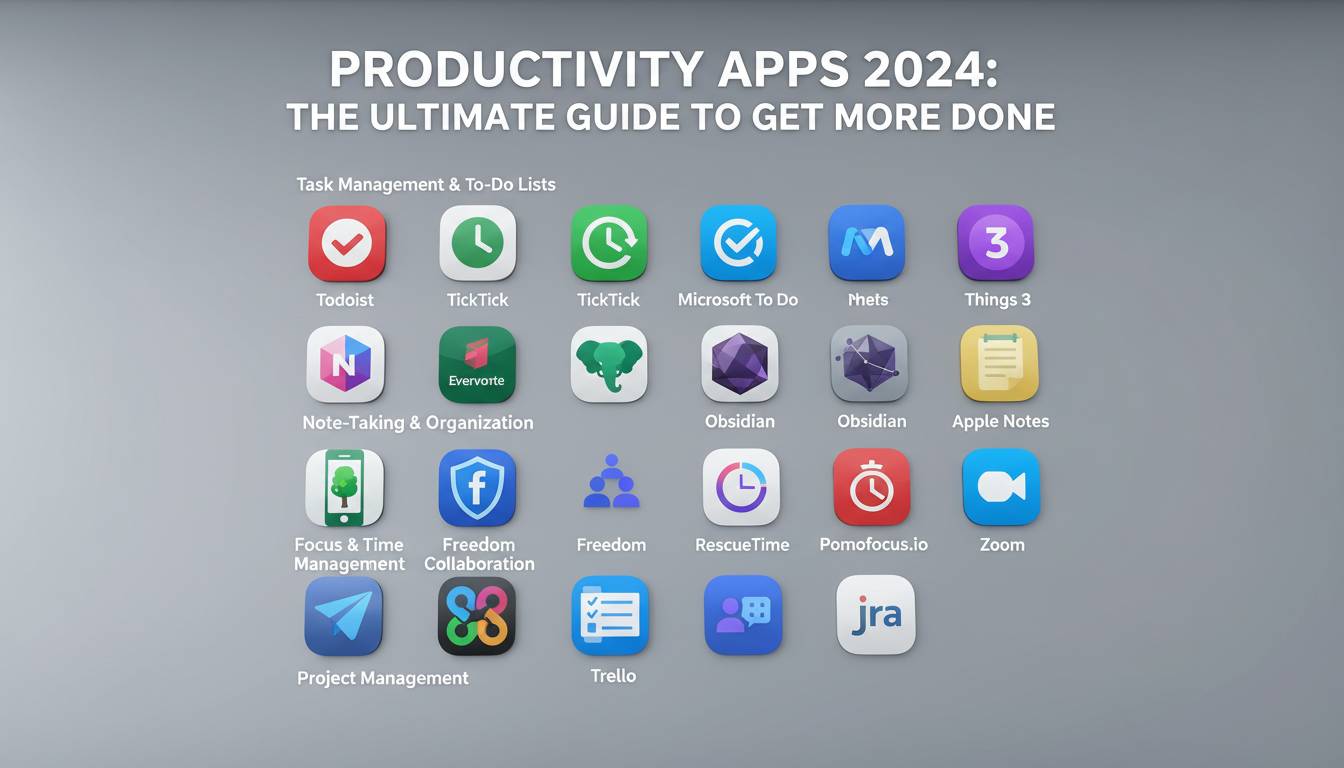
The average knowledge worker switches between 13 different apps 30 times per hour, losing approximately 2.1 hours daily to context switching and app fatigue. Yet despite this fragmentation, the right productivity stack can transform output by 25-40% according to workplace efficiency research. In 2024, the productivity app landscape has fundamentally shifted—with AI integration, cross-platform synchronization, and intelligent automation becoming table stakes rather than differentiators. This guide cuts through the noise to deliver actionable recommendations based on how modern professionals actually work, not marketing hype.
The Productivity App Landscape Has Fundamentally Changed
The productivity software market reached $96 billion globally in 2024, with projections exceeding $150 billion by 2030 . This explosive growth isn’t just about more apps—it’s about fundamentally different workflows. The pandemic accelerated remote work adoption, and 58% of American workers now operate in hybrid or fully remote arrangements , creating unprecedented demand for tools that replicate and enhance in-office collaboration.
Key Trends Reshaping Productivity in 2024:
- AI-first architecture: Apps now ship with AI assistants default, not as add-ons
- Context-aware workflows: Tools that anticipate next actions rather than just recording them
- Integration ecosystems: The value lies in connections between apps, not individual features
- Privacy-forward design: With GDPR, CCPA, and increasing awareness, data handling is now a primary purchase criterion
The days of single-purpose tools are fading. Today’s best productivity apps function as interconnected nodes within a personal productivity operating system, where data flows automatically between task managers, calendars, note-taking systems, and communication platforms.
AI-Powered Productivity: The 2024 Game Changer
Artificial intelligence has transformed from a novelty feature into the primary reason to switch productivity tools. Microsoft Copilot, Google Gemini integration, and standalone AI assistants like Claude and ChatGPT have fundamentally altered what’s possible in terms of automation, summarization, and content generation.
👤 Dr. Andrew Ng, AI Researcher and Founder of DeepLearning.AI, has noted: “The productivity gains from AI-assisted workflows are unprecedented—we’re seeing 30-50% time reductions on knowledge work tasks that previously required hours of manual effort.”
How AI Enhances Productivity Apps
| Function | Before AI | With AI | Time Saved |
|---|---|---|---|
| Meeting notes | Manual transcription + summary | Auto-generated summaries + action items | 45 min/meeting |
| Email drafting | Write from scratch | AI-assisted drafts with tone adjustment | 15-20 min/day |
| Research synthesis | Manual reading + summarization | AI-compiled key insights | 2-3 hours/report |
| Schedule optimization | Manual calendar management | AI-suggested optimal scheduling | 30 min/day |
The critical insight: AI doesn’t replace human productivity—it amplifies it. Workers who embrace AI-assisted workflows report significantly higher job satisfaction and lower burnout rates, according to Microsoft’s 2024 Work Trend Index. The key is selecting apps where AI enhances your existing workflow rather than introducing additional complexity.
Task Management: Beyond Simple To-Do Lists
Task management apps have evolved far beyond basic list-making. Modern solutions offer hierarchical project management, time blocking integration, automation capabilities, and sophisticated prioritization algorithms. The three dominant platforms—Todoist, Notion, and ClickUp—each serve different use cases.
Comparing Top Task Management Solutions
| Feature | Todoist | Notion | ClickUp |
|---|---|---|---|
| Best For | Individual task management | All-in-one workspace | Complex project orchestration |
| Learning Curve | Low | Medium | Medium-High |
| AI Features | Basic | Advanced | Advanced |
| Free Tier | Excellent | Good | Excellent |
| Integrations | 100+ | 100+ | 200+ |
Todoist remains the gold standard for individuals seeking simplicity without sacrificing power. Its natural language input (“Submit report tomorrow at 3pm” creates a task with due date and time) saves significant clicking. The 2024 update introduced AI-powered task breakdown, where complex goals automatically decompose into actionable sub-tasks.
Notion has cemented its position as the flexible workspace for teams that refuse to be categorized. Its database system allows building custom CRM, wiki, project tracking, and content management within a single platform. The AI capabilities now include auto-generated meeting notes, content summarization across pages, and intelligent search across all workspace data.
ClickUp targets power users and enterprises requiring complex project management without enterprise software complexity. Its 15+ view types (List, Board, Calendar, Gantt, Timeline, Docs) accommodate virtually any workflow methodology. The platform’s 2024 whiteboarding feature integrates visual collaboration directly into task management.
Recommendation by Use Case
- Freelancers and solo professionals: Todoist for simplicity, Notion for growth potential
- Small teams (2-15): Notion for flexibility, ClickUp for structured project management
- Enterprise and complex projects: ClickUp for features, Asana for brand recognition and ease of adoption
Note-Taking and Knowledge Management
The note-taking category has undergone the most dramatic transformation, with the rise of networked thought, bidirectional linking, and AI-powered search transforming these apps from simple repositories into external brains.
Obsidian has emerged as the choice for knowledge workers who think in connections. Its local-first, markdown-based architecture means your notes remain yours—no subscription required, no vendor lock-in. The graph view visualizing connections between ideas has become iconic, and the plugin ecosystem extends functionality to include tasks, calendars, and publishing tools.
Readwise solves the fragmentation problem by aggregating highlights from everywhere you read—articles, books, podcasts, emails—into a single searchable database with spaced repetition review. Its 2024 Reader feature transforms the app into a full-featured read-it-later service that learns what you find valuable.
👤 Tiago Forte, Founder of Praxis and Author of “Building a Second Brain”, emphasizes: “The goal isn’t to capture more information—it’s to have the right information at the right time. Modern note-taking apps succeed when they reduce friction between your thoughts and actionable outputs.”
For most users, the choice comes down to: Obsidian for personal knowledge management and those comfortable with markdown, Notion for teams needing collaboration, or Apple Notes for deeply integrated Apple ecosystem users. The worst choice is no choice—starting with any consistently-used system beats perfecting a complex setup.
Time Tracking and Focus Applications
Understanding where time goes is the foundation of productivity improvement. Time tracking apps have evolved to provide not just recording but analysis, with intelligent categorization, distraction blocking, and focus enhancement features.
Focus and Time Tracking Solutions
| App | Primary Function | Unique Feature | Pricing |
|---|---|---|---|
| RescueTime | Automatic time tracking | Idle detection and productivity scoring | Free/$9/month |
| Toggl Track | Manual time tracking | Simple one-click timer | Free/$10/month |
| Forest | Focus enhancement | Gamified phone locking | Free/$3/month |
| Freedom | Distraction blocking | Cross-device session blocking | Free/$12/month |
RescueTime operates in the background, automatically categorizing time spent in applications and websites. Weekly reports reveal patterns invisible to conscious awareness—which meetings consume time, which projects require more hours than estimated, when peak productivity hours occur.
Toggl Track excels for workers who prefer intentional time recording. Its simplicity enables detailed project and client time tracking without behavioral overhead. The 2024 AI features automatically suggest project categorization based on application usage patterns.
Forest and Freedom address the distraction problem differently. Forest gamifies focus by growing virtual trees during work sessions, losing them if you leave the app. Freedom provides aggressive distraction blocking across all devices simultaneously, creating the digital equivalent of a distraction-free environment.
The research is clear: context switching costs 20-25 minutes per interruption . Focus apps that block distractions and time trackers that reveal true time allocation combine to form the feedback loop necessary for continuous productivity improvement.
Collaboration and Communication Tools
The collaboration tool market consolidated significantly in 2024, with Slack, Microsoft Teams, and Discord dominating their respective segments. The differentiator is no longer core functionality—which has become commoditized—but ecosystem integration and AI capabilities.
Slack introduced AI-powered search that surfaces information across channels and threads, answering questions directly rather than requiring users to find the message containing the answer. Workflow automation through Slack’s platform builder enables sophisticated process automation without coding.
Microsoft Teams benefits from deep integration with the Microsoft 365 ecosystem. Copilot integration across chat, meetings, and documents means AI assistance appears contextually throughout the workday. For organizations already committed to Microsoft 365, Teams with Copilot represents the path of least resistance to AI-enhanced collaboration.
Discord has expanded beyond gaming into team collaboration, particularly for creative teams and community-based organizations. Its real-time voice, threaded conversations, and robust permission systems serve distributed creative teams effectively.
Choosing a Communication Platform
| Factor | Slack | Teams | Discord |
|---|---|---|---|
| Best Environment | Cross-company, client-facing | Enterprise, Microsoft shops | Creative teams, communities |
| AI Features | Enterprise Search | Copilot throughout | Basic |
| Free Tier | Limited | Generous | Excellent |
| Video Quality | Good | Excellent | Good |
For most organizations, the choice follows existing ecosystem commitments. Organizations using Google Workspace gravitate toward Slack; Microsoft 365 shops choose Teams; creative and community-focused organizations increasingly adopt Discord.
Building Your Productivity Stack in 2024
The concept of a “productivity stack”—the specific combination of tools functioning together—has replaced individual app recommendations. The best stack for you depends on role, work style, and existing ecosystem commitments.
Stack Building Framework
Essential Layer (Non-Negotiables):
– Task management: Where work gets captured and tracked
– Calendar: Where time gets scheduled and protected
– Communication: Where coordination happens
Enhancement Layer (Based on Need):
– Note-taking: For knowledge workers building intellectual assets
– Time tracking: For freelancers, consultants, or anyone wanting accountability
– Focus tools: For those struggling with distraction
AI Layer (2024 Essential):
– AI assistant access (ChatGPT, Claude, Copilot)
– AI features within existing tools
– Automation between apps
Integration Layer (Makes It Work):
– Zapier or similar automation platform
– Native integrations between core tools
– Keyboard shortcuts and templates
The most common error is tool accumulation without system integration. Starting with one well-mastered tool beats collecting five underutilized applications. Build incrementally: master your task manager before adding note-taking, master note-taking before adding automation.
The Future of Productivity Apps
Three emerging trends will reshape productivity tools through 2025 and beyond.
Autonomous AI Agents represent the next frontier—AI systems that don’t just assist but execute complete workflows. Microsoft Copilot Agents and similar tools can now handle multi-step processes like expense reporting, meeting scheduling across participants, and research compilation without human intervention.
Personalized Productivity OS is emerging as platforms consolidate. Notion, ClickUp, and others are expanding from single categories into comprehensive workspaces. The trajectory points toward fewer apps doing more, connected through AI orchestration rather than manual Zapier integrations.
Privacy and Local-First alternatives are gaining traction as awareness of data ownership grows. Obsidian’s success demonstrates demand for tools where users control their data. This tension between convenience (cloud-first) and ownership (local-first) will define product development across the industry.
👤 Cal Newport, Georgetown Professor and Author of “Deep Work”, advises: “Technology should serve your attention, not capture it. The best productivity systems are designed around your values and goals, not the latest features. Regularly audit whether your tools are creating more value than overhead.”
Conclusion
The productivity app landscape in 2024 offers unprecedented capability—if you’re willing to navigate the complexity. The key principles remain constant: start with clear goals, build systems around those goals, and choose tools that reduce friction rather than add it.
AI has transformed what’s possible, but technology remains a tool, not a solution. The 25-40% productivity gains available through optimized tool stacks only materialize when paired with intentional work habits and clear priorities. Your productivity system should amplify your efforts, not become an end in itself.
Begin with your current pain point: if you lose tasks, prioritize task management; if you lose time, prioritize tracking; if you lose information, prioritize knowledge management. Master one layer before adding another. The best productivity stack is the one you’ll actually use consistently.
Frequently Asked Questions
What is the best productivity app for beginners in 2024?
For beginners, Todoist offers the best balance of power and simplicity. Its natural language input (“Submit report tomorrow”) makes task creation frictionless, while the project hierarchy accommodates growing complexity. Notion provides a free alternative with greater flexibility but requires more setup time.
Are free versions of productivity apps sufficient for professional use?
Many productivity apps offer robust free tiers suitable for professional use. Notion, ClickUp, Toggl Track, and Slack all provide functional free versions. The limiting factor usually isn’t features but team size or advanced capabilities. Evaluate whether the constraints actually impact your workflow before upgrading.
How do I switch productivity apps without losing data?
Most productivity apps offer import functionality from competitors. Notion, Todoist, and ClickUp all support importing from major alternatives. Export your data in standard formats (CSV, Markdown) before switching, and test the new system for 2-3 weeks before fully committing. Consider keeping the old system running in read-only mode during transition.
How many productivity apps should I actually use?
Aim for the minimum viable number—typically 3-5 core applications. More apps create context-switching overhead that negates individual tool benefits. Each additional tool should solve a specific problem not addressed by existing tools. Conduct quarterly audits to eliminate apps that aren’t actively contributing to productivity.
Will AI replace productivity apps or make them obsolete?
AI is transforming productivity apps rather than replacing them. Rather than eliminating the need for task managers or note-taking apps, AI enhances their capabilities—automating summarization, suggesting actions, and connecting information across applications. Workers who embrace AI-augmented tools will significantly outpace those who don’t.
How do I choose between Notion, ClickUp, and other all-in-one platforms?
Choose Notion if flexibility and knowledge management are priorities and you value a clean interface. Choose ClickUp if you need complex project management features and don’t mind a learning curve. Both offer free tiers—test both for two weeks with real work before deciding.