4K Streaming Device Reviews – Find Your Perfect Streaming Companion

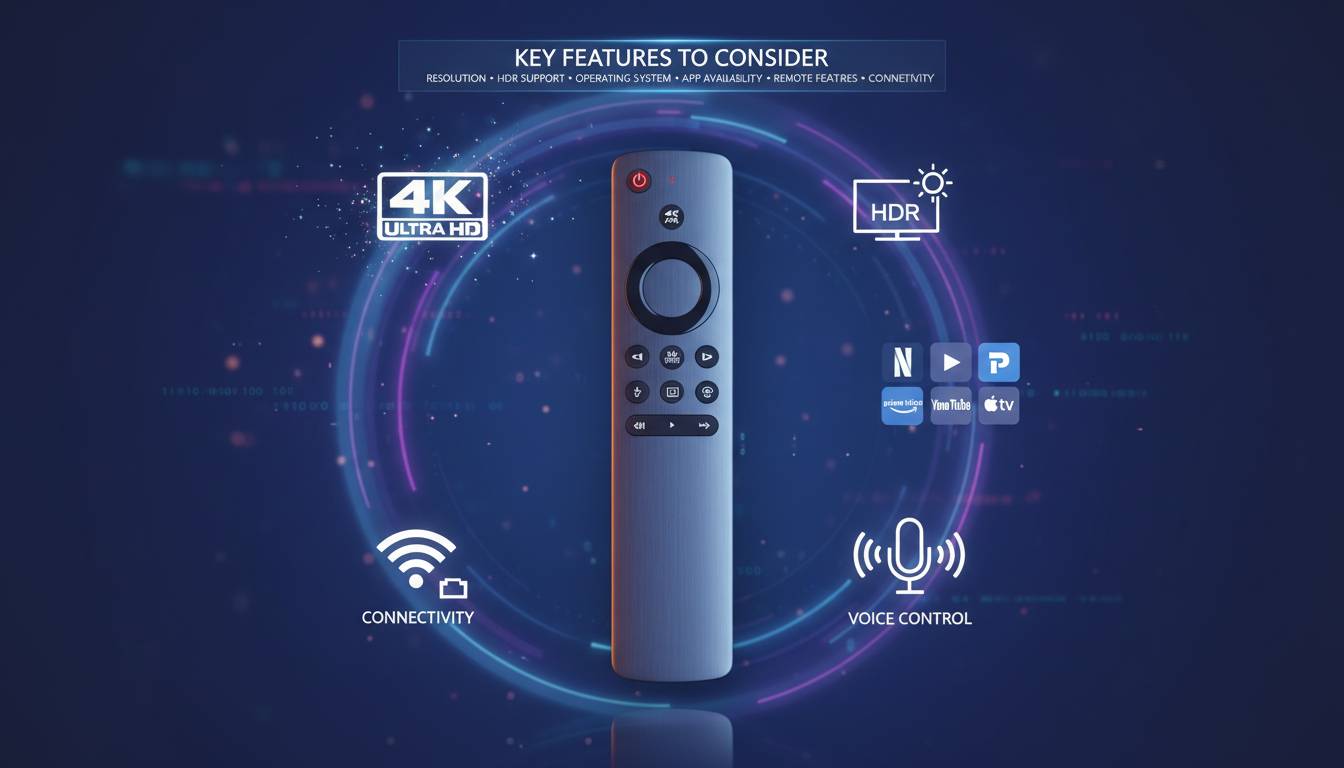
The way Americans consume television has fundamentally shifted. Streaming services now account for over 40% of TV viewing time in U.S. households, and 4K resolution has become the standard for premium content delivery. Yet millions of viewers still rely on smart TV built-in apps that often lag in performance, lack app variety, or lose support within a few years. A dedicated 4K streaming device transforms any television into a modern entertainment hub, offering superior processing power, regular software updates, and access to every major streaming platform. This comprehensive guide evaluates the best 4K streaming devices available in 2025, helping you find the perfect companion for your viewing habits and budget.
Understanding 4K Streaming Technology
Before examining specific devices, understanding what 4K streaming actually delivers matters. True 4K resolution contains 3,840 by 2,160 pixels—four times the detail of standard 1080p HD. However, experiencing that clarity requires three components working in harmony: a 4K-capable television or monitor, a streaming device that outputs 4K signals, and content streamed in 4K quality from services like Netflix, Disney+, Amazon Prime Video, or Apple TV+.
Beyond resolution, modern streaming devices support High Dynamic Range (HDR), which expands color volume and contrast. The primary HDR formats include HDR10, the open standard used by most content; Dolby Vision, which offers scene-by-scene optimization; and HLG, primarily used for live broadcast content. Dolby Atmos audio complements these visual improvements with immersive, object-based sound that creates a three-dimensional audio experience.
The processing power inside these small devices determines how quickly apps launch, how smoothly content buffers, and whether features like voice control respond instantly. Entry-level devices typically include dual-core processors with 1-2GB of RAM, sufficient for basic streaming but noticeable slower when switching between apps. Mid-range and premium devices quad-core or octa-core processors with 3-8GB of RAM deliver the snappy performance that makes navigation feel effortless.
Premium Performance: Apple TV 4K
Apple’s flagship streaming device represents the premium end of the market, combining exceptional hardware with tight ecosystem integration. The current Apple TV 4K (2022) features the A15 Bionic chip—the same processor found in iPhone 13—delivering remarkable speed and efficiency. Navigation feels instantaneous, apps launch in under a second, and even graphically intensive games from Apple Arcade run smoothly.
The design remains compact and elegant, a small square box that disappears behind any television. The included Siri Remote has been significantly improved over previous generations, featuring a clickable trackpad for precise navigation, dedicated buttons for power and mute, and Siri voice control that works exceptionally well for searching content across apps.
What sets Apple TV 4K apart is its commitment to future-proofing. The device supports Dolby Vision, HDR10+, and Dolby Atmos. The HDMI 2.1 port enables eARC for connecting to premium sound systems. Apple regularly updates tvOS with new features, and the App Store provides access to thousands of applications beyond streaming—including fitness apps, games, and productivity tools.
The primary consideration is price. At $179 for the 64GB model and $199 for 128GB with Gigabit Ethernet, Apple TV 4K costs significantly more than competitors. However, for households already invested in the Apple ecosystem—using iPhone, HomeKit devices, or Apple Music—the seamless integration justifies the premium. The device also excels for renters or those who move frequently, as the simple setup process makes relocating effortless.
The Content Champion: Roku Streaming Devices
Roku maintains its position as the most popular streaming platform in America, available in various form factors at multiple price points. The company’s open approach means no competing ecosystem requirements—you get the same interface whether using a $39 Roku Express or the $99 Roku Ultra.
Roku Express 4K+ ($39.99) serves budget-conscious buyers seeking 4K without complexity. This tiny device plugs directly into HDMI and operates on a single remote. While the dual-core processor shows occasional hesitation when switching apps, core streaming performance satisfies casual viewers. The included voice remote works reliably for basic commands, though it lacks the premium feel of higher-end options.
Roku Streaming Stick 4K+ ($49.99) delivers the best value in the lineup. The stick design plugs directly into the television’s HDMI port, eliminating cable clutter and keeping the device hidden. The quad-core processor provides noticeably smoother performance than the Express, and the included voice remote features TV controls for power and volume—a convenience that eliminates juggling multiple remotes.
Roku Ultra ($99.99) targets enthusiasts who demand the best. This device adds Ethernet connectivity for the most stable streaming, USB ports for local media playback, and the ability to boost wireless range. The premium voice remote includes a remote finder feature—a practical addition for households constantly misplacing controls. The Ultra also supports Dolby Vision and Atmos, matching premium competitors on technical capabilities.
Roku’s interface deserves specific mention. The home screen cleanly organizes streaming channels without preferential treatment for any single service, and the universal search finds content across Netflix, Prime Video, Disney+, and dozens of other platforms simultaneously. The platform regularly adds new channels and maintains excellent app support, with most major streaming services available on day one of their launches.
Amazon Fire TV: The Alexa Ecosystem
Amazon’s Fire TV platform provides the most direct competition to Roku in the mid-range market, with strong integration for Alexa smart home users. The Fire TV Stick 4K ($49.99) represents the sweet spot in Amazon’s lineup, offering solid 4K streaming performance with the convenience of Alexa voice control built directly into the remote.
The interface organizes content around your existing subscriptions, prominently featuring content from Amazon Prime Video while also displaying recommendations from Netflix, Disney+, and other installed apps. This integrated approach works well for Prime members but can feel like advertisement for non-Amazon services compared to Roku’s neutral presentation.
Alexa integration extends beyond simple search. You can ask Alexa to control smart home devices, check weather, play music through compatible speakers, or even view live camera feeds from Ring doorbells. For households with multiple Alexa devices, the Fire TV becomes part of a cohesive voice-controlled ecosystem.
Fire TV Cube ($139.99) pushes into premium territory with faster processing and unique features. The Cube supports 4K resolution with Dolby Vision and Atmos, includes an Ethernet port for wired connections, and functions as an Alexa speaker even when the television is off. The hands-free voice control means you don’t need the remote to issue commands—a genuine convenience that justifies the price premium for the right user.
Amazon’s approach to advertising has drawn criticism. The lock screen occasionally displays sponsored content, and some users report promotional suggestions in their viewing queues. These aren’t dealbreakers, but they represent a philosophical difference from Roku’s more neutral approach to content presentation.
Google Chromecast with Google TV
Google’s latest streaming device represents a significant departure from previous Chromecast generations. The Chromecast with Google TV ($49.99) finally added a remote control and full interface, addressing the primary complaint about earlier models that required smartphone or voice commands for navigation.
The interface organizes content into helpful tabs: For You, Movies, Shows, Apps, and Library. The “For You” section provides personalized recommendations based on viewing history across services, while robust search finds content across major platforms. Google Assistant voice search works exceptionally well, often understanding natural language queries better than competitors.
The remote deserves particular praise. Dedicated buttons for YouTube, Netflix, and Disney+ provide instant access to the most-used services, and the minimalist design feels premium despite the reasonable price. The D-pad navigation works precisely, and voice commands can control both the device and compatible television functions.
At $49.99, the Chromecast with Google TV competes directly with Roku Streaming Stick 4K+ and Fire TV Stick 4K. The choice often comes down to ecosystem preference—Google users appreciate integration with Google Photos, YouTube, and Chromecast built-in support from countless apps, while Roku’s broader app selection and neutral interface appeal to those preferring less platform-specific content promotion.
The Android Power User: Nvidia Shield TV
Nvidia Shield TV occupies a unique niche as the only streaming device powered by Android TV and marketed primarily toward enthusiasts who want more than streaming. The current Shield TV Pro ($199.99) functions as both an exceptional streaming device and a capable gaming machine.
The Tegra X1+ processor, while several generations old, remains powerful enough to handle 4K HDR streaming without difficulty and even enables AI-enhanced upscaling that improves standard HD content approaching 4K quality. This upscaling feature genuinely impresses, making older content look notably better on 4K displays.
Android TV provides access to the Google Play Store, meaning you can install apps unavailable on other platforms—including emulators for classic gaming, specialized apps for sports streaming, and unique media center software like Kodi. The device also supports GeForce NOW cloud gaming, streaming PC-quality games to your television when paired with a compatible controller.
The design has evolved into two form factors: a cylindrical tube for the standard model and a boxier Pro version with more storage and RAM. Both include the excellent Shield controller as an optional accessory, and the Pro model adds two USB ports for connecting external storage or other accessories.
For most users, the Shield TV Pro costs more than necessary. However, power users who want to experiment with Android customization, run media servers, or access advanced streaming features will find it unmatched. The regular Shield TV at $149.99 serves casual users who want Android TV without the Pro model’s extras.
Making Your Selection: A Practical Framework
Choosing the right 4K streaming device requires matching your priorities to the right product. Consider these key factors when making your decision:
Ecosystem Alignment: If you already use Alexa, Apple HomeKit, or Google Home extensively, staying within that ecosystem provides meaningful convenience. Voice commands work best when deeply integrated, and features like Apple TV’s AirPlay or Chromecast’s casting functionality work seamlessly within their native platforms.
Budget Priorities: The $40-50 price range delivers excellent value for most households. Roku Streaming Stick 4K+ and Amazon Fire TV Stick 4K both provide complete 4K streaming experiences without unnecessary extras. Spending more makes sense only when specific features—Ethernet ports, premium audio, or advanced processing—align with your needs.
App Requirements: All major streaming services work on every platform, but less mainstream apps may vary. Check that your specific requirements—international streaming services, niche apps, or specialized software—are available on your preferred platform before purchasing.
Interface Preferences: Spend five minutes in a store if possible to experience each interface. Some users prefer Roku’s neutral content organization; others appreciate Amazon’s integration or Google Assistant’s search capabilities. The interface determines your daily experience more than technical specifications.
Future-Proofing: Consider whether you plan to keep the device for several years. Premium devices like Apple TV and Nvidia Shield receive longer software support and maintain performance as streaming services become more demanding. Entry-level devices may struggle with future app updates.
Common Streaming Device Mistakes to Avoid
Avoiding these frequent errors prevents disappointment and ensures you get the most value from your purchase.
Ignoring Internet Speed Requirements: 4K streaming typically requires 25 Mbps minimum for consistent quality. Households with slower connections should consider ethernet-capable devices to maximize available bandwidth, or accept that 4K content will buffer frequently.
Overlooking HDMI Compatibility: Older televisions may only have HDMI 1.4 ports, which limit HDR capabilities. Verify your television’s HDMI version before purchasing a device that requires HDMI 2.0 or 2.1 for full 4K and HDR features.
Forgetting About Audio: Many households stream through television speakers that cannot reproduce Dolby Atmos or even standard surround sound. Ensure your audio setup matches your video ambitions, or accept that premium audio features provide limited benefit in your setup.
Ignoting Remote Control Quality: You interact with the remote constantly. A poorly designed remote undermines the entire experience. The included remotes vary significantly in quality, and some devices allow upgrading to premium remotes separately.
Frequently Asked Questions
Which 4K streaming device is best for most households?
The Roku Streaming Stick 4K+ offers the best balance of price, performance, and features for typical households. At $49.99, it provides reliable 4K streaming with Dolby Vision and Atmos support, an excellent voice remote with TV controls, and the broadest app selection. Roku’s neutral interface avoids promoting any single streaming service, making it ideal for households with mixed subscription services.
Do I need a 4K streaming device if my TV is already “smart”?
Yes, in most cases. Smart TV built-in apps typically receive fewer and slower updates than dedicated streaming devices. They often lack processing power for smooth navigation, and when the manufacturer discontinues support—typically after 2-4 years—you’re left with a limited-function device. A dedicated streaming device provides better performance, more frequent updates, and can be easily replaced when it reaches end-of-life.
What’s the difference between 4K, 4K HDR, and 4K Dolby Vision?
4K refers strictly to resolution (3,840 × 2,160 pixels). HDR (High Dynamic Range) improves color and contrast depth but requires a compatible television. Dolby Vision is HDR’s premium variant, using scene-by-scene metadata for optimization rather than the broader HDR10 standard. For the best picture quality, choose a device supporting your television’s HDR format—most 4K content on major streaming services is available in both HDR10 and Dolby Vision.
How long do streaming devices typically last?
Most quality streaming devices remain functional for 5-7 years, though software support may end earlier. Apple TV and Nvidia Shield typically receive the longest software updates—often 5+ years after release. Roku and Amazon Fire devices usually maintain active support for 3-5 years. When a device stops receiving updates, streaming apps may eventually become incompatible with newer service requirements.
Can I use multiple streaming devices on one TV?
Yes, you can connect multiple streaming devices to a single television using different HDMI inputs. Many households keep both a Roku and an Amazon Fire device, or combine an Apple TV with a Chromecast for different use cases. Switching inputs takes only a moment, and some universal remotes can control multiple devices simultaneously.
Do I need special cables for 4K streaming?
Your existing HDMI cables likely work fine for 4K streaming, as most HDMI cables manufactured in the last decade support 4K resolution. However, if you’re experiencing issues or purchasing new cables, look for cables labeled “High Speed HDMI” or “HDMI 2.0” to ensure full 4K and HDR compatibility. Very cheap or very old cables may limit picture quality.