Smart Home Automation Guide: Complete Setup for Beginners

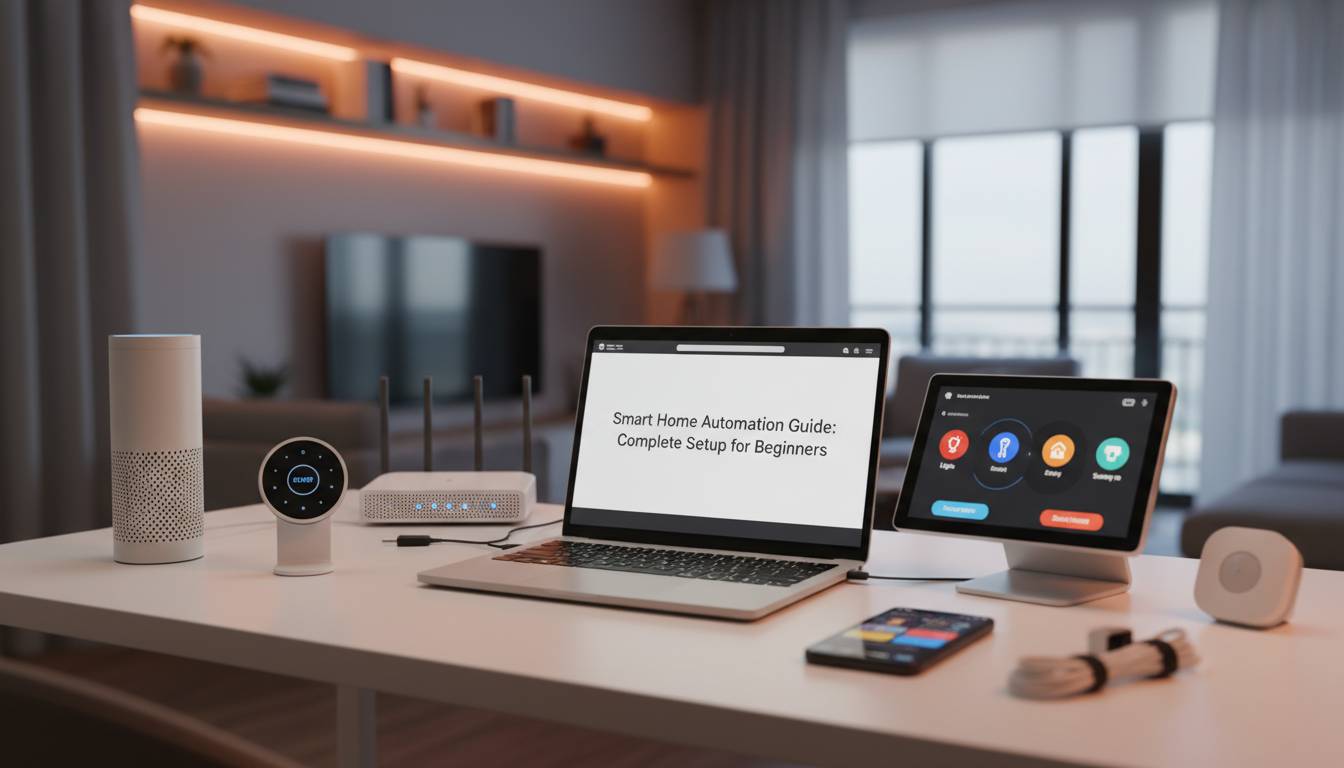
Turning an ordinary house into a smart home no longer requires technical expertise or a massive budget. In 2024, the smart home industry offers more interoperability than ever before, with new standards like Matter making devices from different manufacturers work together seamlessly. Whether you want to control your lights with voice commands, automate your thermostat based on your schedule, or monitor your home security from anywhere in the world, this comprehensive guide walks you through every step of building a smart home that fits your lifestyle and budget.
The average American household now contains between 8 to 15 smart devices, a number that has grown by over 60% since 2020. This guide covers everything from selecting the right ecosystem and essential starter devices to advanced automation scenarios—all explained in plain language without assuming any prior technical knowledge.
Understanding Smart Home Fundamentals
A smart home connects everyday devices to the internet and to each other, allowing you to control them remotely, set schedules, and create automated routines. Before purchasing your first device, understanding the core technologies that make this possible will save you money and frustration later.
The Three Pillars of Smart Home Technology
Connectivity protocols determine how your devices communicate. The most common include WiFi, which offers fast speeds but consumes more power; Bluetooth, ideal for short-range device pairing; Zigbee and Z-Wave, which create mesh networks covering larger areas while using minimal energy; and the newer Matter standard, designed as a universal language allowing devices from different brands to work together.
The distinction between a hub-based and hubless setup matters significantly for beginners. A hub acts as a central command center, translating signals between devices and enabling complex automations. Hubless setups rely on each device connecting directly to your WiFi network, which works well for simple configurations but can become unwieldy as you add more devices.
Smart assistants provide the voice and app-based interface for controlling your home. Google Assistant, Amazon Alexa, and Apple Siri each offer distinct ecosystems with varying device compatibility. Your choice often depends on which smartphone platform you use and which voice assistant feels most natural to you.
Understanding these fundamentals prevents the common beginner mistake of purchasing incompatible devices. A WiFi-only smart plug cannot communicate with a Zigbee smart bulb without the appropriate bridge or hub, and this mismatch frustrates many new smart home owners.
Choosing Your Smart Home Ecosystem
Your ecosystem choice creates the foundation for every future purchase, as most devices work best within their native platform. Making an informed decision upfront prevents the fragmented, frustrating experience of managing multiple apps.
Major Platform Comparison
| Platform | Best For | Device Count | Voice Assistant | Price Range |
|---|---|---|---|---|
| Amazon Alexa | Variety & Integration | 140,000+ | Alexa | Free app, $35+ speakers |
| Google Home | Search & AI | 100,000+ | Google Assistant | Free app, $35+ speakers |
| Apple HomeKit | Privacy & Premium | 4,000+ | Siri | $99+ hub recommended |
| SmartThings | Flexibility | 5,000+ | Bixby, Alexa, Google | Free app, $90 hub |
Amazon Alexa dominates the market with the largest third-party device compatibility, making it the safest choice for beginners who want maximum flexibility. Google Home excels at contextual understanding and integrates deeply with Android devices and Google services. Apple HomeKit prioritizes privacy and security, requiring less configuration while offering robust encryption.
For most beginners, starting with either Amazon Alexa or Google Home provides the smoothest entry point. Both platforms offer free smartphone apps, affordable starter devices under $50, and extensive troubleshooting resources.
The Matter Standard Revolution
Matter, launched in 2022 and expanded throughout 2024, represents the most significant advancement in smart home interoperability. This universal standard allows certified devices to work across all major platforms—meaning a Matter-certified smart bulb purchased today will work with Alexa, Google Home, Apple HomeKit, and SmartThings without compatibility concerns.
When shopping for devices, look for the Matter logo. While not all products support Matter yet, the growing list of certified devices makes this a worthwhile consideration for future-proofing your setup. Existing devices can often receive Matter support through firmware updates, so checking manufacturer compatibility lists before purchases remains important.
Essential Smart Devices for Beginners
Starting with the right devices makes the difference between an overwhelming project and an addictive hobby. Focus on these five categories for maximum impact with minimal complexity.
Smart Lighting: Your Best First Investment
Smart bulbs from brands like Philips Hue, Wyze, and Govee provide immediate gratification with minimal setup. A single smart bulb screws into any standard lamp, connects to your WiFi through the companion app, and can be voice-controlled within minutes. Prices range from $10 for basic bulbs to $50 for premium options with color tuning.
Recommended starter: Wyze Bulb Color at $25 per bulb offers excellent value, supporting 16 million colors, scheduling, and integration with both Alexa and Google Home without requiring a hub.
Smart Plugs: Simple Automation
Smart plugs transform ordinary appliances into controllable devices. The tp-link Kasa Smart Plug Mini at $12 per outlet provides scheduling, remote control, and energy monitoring through a reliable app. These are ideal for lamps, coffee makers, and other simple devices.
Smart Thermostat: Energy Savings
The Google Nest Learning Thermostat at $250 and the ecobee SmartThermostat at $170 represent the two most popular options. Both learn your schedule within the first week, automatically adjust temperature based on occupancy, and can save homeowners 10-15% on heating and cooling bills according to ENERGY STAR studies.
Smart Security: Peace of Mind
Starting with a video doorbell provides both security and convenience. The Ring Video Doorbell at $100 offers 1080p video, two-way talk, and motion notifications. Adding a smart lock like the August Wi-Fi Smart Lock at $230 enables keyless entry and remote monitoring.
Smart Speaker: The Control Center
A smart speaker serves as your voice-controlled command center. The Amazon Echo Dot at $50 and Google Nest Mini at $50 deliver reliable voice assistant functionality with acceptable audio quality for casual music listening.
Step-by-Step Setup Process
With your devices selected, follow this systematic approach to building your smart home without overwhelm.
Phase 1: Network Preparation
Your WiFi network forms the backbone of your smart home. Before adding devices, ensure your router supports both the 2.4GHz and 5GHz bands—most smart home devices operate on 2.4GHz due to its better range, while 5GHz handles bandwidth-intensive tasks like video streaming.
Create a dedicated guest network for your smart devices. This security measure isolates IoT devices from your primary network, limiting potential damage if a device becomes compromised. Most modern routers support this feature through their companion apps.
Phase 2: Device Installation Order
Installing devices in the right sequence prevents troubleshooting headaches:
Days 1-3: Install your smart speaker or hub first. Follow manufacturer instructions to connect it to WiFi and your chosen voice assistant. Test basic voice commands to confirm everything works.
Days 3-7: Add smart lighting to 2-3 frequently used rooms. This provides immediate visible results that demonstrate the technology’s value and build your confidence.
Days 7-14: Expand to smart plugs and one automation device like a thermostat or doorbell. Begin experimenting with simple schedules like turning lights on at sunset.
Days 14-30: Add security devices and any advanced automation components. Fine-tune routines based on your daily patterns.
Phase 3: Creating Your First Automations
Automation transforms convenience into genuine time savings. Start with these proven routines:
Morning Routine: Set your smart lights to gradually brighten starting 15 minutes before your alarm. Have your coffee maker turn on through a smart plug when your bedroom lights activate.
Away Mode: Configure your thermostat to adjust when your phone leaves home radius. Randomize smart lights to simulate occupancy during evening hours.
Bedtime Routine: A single “Goodnight” voice command can lock doors, turn off all lights, set the thermostat to sleep temperature, and enable security cameras.
Most automations require only simple logic: “When [trigger] happens, then [action] occurs.” The companion apps for major platforms guide you through creating these routines with natural language rather than complex programming.
Security and Privacy Considerations
Connected devices introduce potential vulnerabilities that conscious precautions can minimize. Smart home security requires attention but shouldn’t deter you from the technology.
Network Security Essentials
Enable two-factor authentication on every smart home account. Use strong, unique passwords stored in a password manager rather than reusing credentials. Regularly update firmware through manufacturer apps—these updates often patch newly discovered security vulnerabilities.
Consider creating a separate VLAN (Virtual Local Area Network) for smart devices if your router supports this feature. This isolates IoT devices from computers and phones containing sensitive data like banking information.
Privacy Settings Review
Smart speakers and cameras collect data by default. Review privacy settings in each companion app and disable features you don’t need. Some users disable voice recording storage or opt out of data sharing with third parties.
Physical security matters too. Place cameras thoughtfully—avoid bedrooms and bathrooms. Use camera covers when devices aren’t actively monitoring. The FBI and FTC both recommend positioning smart devices to maximize security benefits while minimizing unnecessary surveillance.
Device Placement Best Practices
Place smart speakers in central locations for best voice recognition but away from corners where sound might reflect. Position smart thermostats on interior walls away from drafts and direct sunlight for accurate readings. Ensure video doorbells have clear sightlines and adequate lighting for nighttime visibility.
Common Mistakes to Avoid
Learning from others’ errors helps you build a better smart home faster.
Mistake #1: Buying Without Checking Compatibility
The most frequent error involves purchasing devices incompatible with your chosen ecosystem. Always verify device compatibility before buying. Manufacturer websites and Amazon listings clearly indicate supported platforms. The Works with SmartThings, Amazon Alexa, Google Home, and Apple HomeKit certification programs provide reliable compatibility indicators.
Mistake #2: Skipping the Hub
Hubless setups work for small configurations but create frustration as you scale. A smart home hub manages device communication more reliably than direct WiFi connections, reduces network congestion, and enables more sophisticated automations. For households planning more than 10 devices, a hub like the Aeotec Smart Home Hub at $90 or the Hubitat Elevation at $120 provides better long-term value.
Mistake #3: Ignoring Network Capacity
Every smart device competes for bandwidth on your network. Overloading a single router with 30+ devices causes lag, dropped connections, and automation failures. Mesh WiFi systems from eero, Google Nest WiFi, or Netgear Orbi create comprehensive coverage that handles dozens of devices without performance degradation. A quality mesh system costs $150-300 but eliminates most connectivity complaints.
Mistake #4: Over-Automating Too Quickly
The temptation to create complex automation immediately leads to frustration when routines don’t work as expected. Build simple routines first, verify they execute reliably, then gradually layer complexity. Each successful automation builds understanding that makes more sophisticated setups achievable.
Cost Breakdown and Budget Planning
Smart home costs vary dramatically based on ambition and device selection. Here’s a realistic budget framework:
Starter Kit ($75-150): One smart speaker, three smart bulbs, and two smart plugs cover basic functionality while introducing the technology.
Essential Setup ($300-500): This budget adds a smart thermostat, video doorbell, and smart lock to the starter kit, providing meaningful security and energy management benefits.
Comprehensive System ($1,000-2,500): A complete setup includes multiple smart speakers throughout the home, smart lighting in all main rooms, comprehensive security cameras, advanced automation hubs, and integrated sensors for temperature, motion, and water leak detection.
The return on investment materializes through energy savings (10-15% on utility bills), insurance discounts often ranging from 5-10%, and property value increases documented by real estate studies showing smart homes sell 3-5% faster.
Future-Proofing Your Smart Home
Technology advances rapidly, but strategic choices protect your investment.
Prioritize Matter-Compatible Devices: As the ecosystem matures, Matter will become the default standard. Purchasing certified devices today ensures they’ll work with future platforms and expansions.
Choose Established Brands: Startups occasionally fail, leaving devices orphaned without app support or security updates. Established manufacturers like Philips, Ring (Amazon), Google, ecobee, and tp-link provide long-term reliability.
Document Your Setup: Keep records of device locations, login credentials, and automation logic. This documentation simplifies troubleshooting and enables faster recovery if you need to reset your system.
Plan for Scalability: Your first smart home configuration likely represents only the beginning. Choose platforms and hubs capable of supporting 50+ devices to avoid outgrowing your infrastructure within 1-2 years.
Frequently Asked Questions
What is the best smart home ecosystem for beginners?
Amazon Alexa offers the broadest device compatibility and most affordable starter devices, making it the best choice for most beginners. Google Home provides excellent integration with Android devices and superior contextual voice understanding. Choose based on your existing smartphone platform and which voice assistant feels more natural to use.
Do I need a smart home hub?
For setups with more than 10 devices, a hub significantly improves reliability and enables more sophisticated automations. Small configurations of 3-5 devices can operate hubless through direct WiFi connections. However, hubs from SmartThings or Hubitat provide better long-term scalability and work offline during internet outages.
How much does a complete smart home setup cost?
A basic starter setup costs approximately $75-150. A comprehensive system with security cameras, smart lighting throughout, climate control, and advanced automation typically ranges from $1,000-2,500. Most homeowners can build a functional system in stages, starting with under $200 and expanding over time.
Are smart home devices secure?
Smart home devices introduce some security considerations, but following basic practices makes them safe for most users. Enable two-factor authentication, use strong unique passwords, keep firmware updated, and create a separate network for IoT devices. Major platform providers invest heavily in security, and the convenience generally outweighs risks for careful users.
How long does it take to set up a smart home?
Initial setup of core devices takes 1-3 hours over a weekend. Building a complete system with multiple automations typically spans 2-4 weeks as you learn each device’s capabilities and refine routines to match your lifestyle. The process is modular—most people start with 2-3 devices and expand gradually.
Can smart home devices work during power outages?
Most smart home devices require power and internet connectivity to function. Battery-backup options like cellular-connected security cameras, smart locks with physical key overrides, and UPS (Uninterruptible Power Supply) units for hubs provide limited functionality during outages. Smart bulbs need power to operate, while smart plugs controlling battery-powered devices can still function if the devices themselves have internal batteries.
Building your first smart home represents an exciting journey rather than a destination. Starting with simple devices and gradually expanding creates confidence while preventing overwhelm. The technology improves continuously—Matter compatibility expands monthly, AI assistants grow more capable, and new device categories emerge regularly. Your initial setup provides the foundation for a home that learns your preferences, saves energy, enhances security, and simplifies daily life in ways that become quickly indispensable.