Local Llama Alternative to ChatGPT: Run AI Privately on Your Device

Running a powerful AI assistant entirely on your own device—no cloud servers, no data leaving your computer, no subscription fees—is now a practical reality. Local alternatives to ChatGPT like Meta’s Llama models, Mistral, and Phi-3 can run on consumer hardware, giving you privacy, offline access, and full control over your AI interactions. Whether you’re a developer, privacy enthusiast, or business user concerned about data handling, local AI solutions offer compelling advantages over cloud-based alternatives.
This guide explores the best local Llama alternatives to ChatGPT, compares their capabilities, and provides actionable steps to get AI running on your machine today.
Why Consider Local AI Alternatives to Cloud-Based ChatGPT
The shift toward local AI isn’t just a technical curiosity—it’s driven by legitimate concerns that have grown more pressing as cloud AI services become ubiquitous.
Privacy stands as the primary motivation for many users. When you use ChatGPT or Claude through their web interfaces, your conversations are processed on external servers, potentially logged for model improvement, and subject to data retention policies you don’t control. A 2024 Pew Research survey found that 72% of Americans feel concerned about how companies use their personal data with AI tools. Local AI eliminates this concern entirely—your prompts and conversations never leave your device.
Offline access represents another practical advantage. Local AI models work without internet connectivity, making them invaluable for travelers, remote workers in connectivity-limited areas, or anyone needing reliable access without dependence on external services.
Cost control transforms the economics of AI usage. Cloud AI subscriptions can cost $20-$200 monthly depending on tier. Once you’ve invested in capable hardware, local AI has zero per-query costs, making high-volume usage economically feasible.
Customization and control appeal to developers and technical users who want to modify models, fine-tune behavior, or run entirely private deployments for enterprise applications.
These factors have driven dramatic growth in local AI adoption. The Ollama platform, one of the most popular tools for running local models, saw downloads increase over 400% between late 2023 and mid-2024, indicating massive user interest in privacy-preserving AI solutions.
Top Local Llama Alternatives to ChatGPT
Several excellent local AI models now compete with ChatGPT’s capabilities, each with distinct strengths.
Meta Llama 3
Meta’s Llama 3 represents the flagship open-source model for local deployment. Released in April 2024, the 8-billion parameter instruction-tuned version runs comfortably on consumer GPUs and even some high-end CPUs with sufficient RAM. Llama 3 70B, requiring more substantial hardware, approaches GPT-4 performance on many benchmarks.
Best for: General conversation, coding assistance, and text generation with strong reasoning capabilities.
Hardware requirements:
– 8B parameter: 8GB+ VRAM (GPU) or 16GB+ RAM (CPU with quantization)
– 70B parameter: 24GB+ VRAM recommended
Mistral 7B
Mistral AI’s debut model delivers remarkable performance relative to its size. The 7-billion parameter model outperforms Llama 2 13B on many benchmarks while requiring significantly less computational resources. Mistral uses grouped-query attention and sliding window attention for efficiency.
Best for: Users with limited hardware seeking maximum capability per compute dollar.
Hardware requirements: 8GB+ VRAM for the standard version; can run on 6GB with 4-bit quantization.
Microsoft Phi-3
Microsoft’s Phi-3 family focuses on efficiency without sacrificing capability. The Phi-3-mini (3.8B parameters) achieves performance competitive with models twice its size through high-quality training data selection—a technique Microsoft calls “small language model” optimization.
Best for: Running on laptops, older hardware, or systems with limited VRAM.
Hardware requirements: As low as 4GB VRAM with quantization; runs surprisingly well on integrated graphics.
Gemma (Google’s Open Models)
Google’s Gemma models (2B and 7B parameters) bring the company’s research advances to the open-source community. Based on the same architecture as Gemini, Gemma performs exceptionally well on reasoning and coding tasks relative to their compact size.
Best for: Coding tasks and reasoning-heavy workloads on modest hardware.
Hardware requirements: 2B runs on ~4GB VRAM; 7B requires 8GB+.
Mixtral 8x7B
This sparse mixture-of-experts model activates only two “experts” per token, effectively providing the capability of a much larger model while using less compute. Mixtral matches or exceeds Llama 2 70B on most benchmarks while running on 8x7B hardware requirements.
Best for: Users wanting near-GPT-4 capability without the hardware demands of a true 70B model.
Hardware requirements: ~12GB VRAM (efficiently using 8 GPUs internally via the MoE architecture).
Comparing Local AI Models: Performance, Privacy, and Practicality
Choosing the right local AI model requires balancing capability against your available hardware and specific use cases. The following comparison provides a practical framework for decision-making.
| Model | Parameters | Relative Capability | VRAM Needed | Speed (GPU) | Best Use Case |
|---|---|---|---|---|---|
| Llama 3 | 8B | Strong | 8GB | Fast | General purpose |
| Llama 3 | 70B | Very Strong | 24GB+ | Moderate | High-quality responses |
| Mistral 7B | 7B | Strong | 8GB | Fast | Efficiency priority |
| Phi-3 Mini | 3.8B | Moderate | 4GB | Very Fast | Light hardware |
| Gemma 7B | 7B | Strong | 8GB | Fast | Coding, reasoning |
| Mixtral 8x7B | 8x7B | Very Strong | 12GB | Moderate | Advanced tasks |
Capability context: Models in the 7B-8B range handle casual conversation, basic coding help, and text summarization effectively. They occasionally produce factual errors or struggle with complex multi-step reasoning. The 70B and Mixtral models approach ChatGPT-4 level capability but require substantially more RAM and compute.
Speed considerations: Generation speed varies dramatically based on your hardware. A modern RTX 3090 or 4090 can generate 30-50 tokens per second with 7B models, making conversation feel natural. Larger models or CPU-only operation reduce this to 5-15 tokens per second—still usable but less fluid.
How to Run Local AI on Your Computer
Getting started with local AI requires choosing the right software stack for your setup. Several tools have emerged as the standard for local model deployment.
Ollama
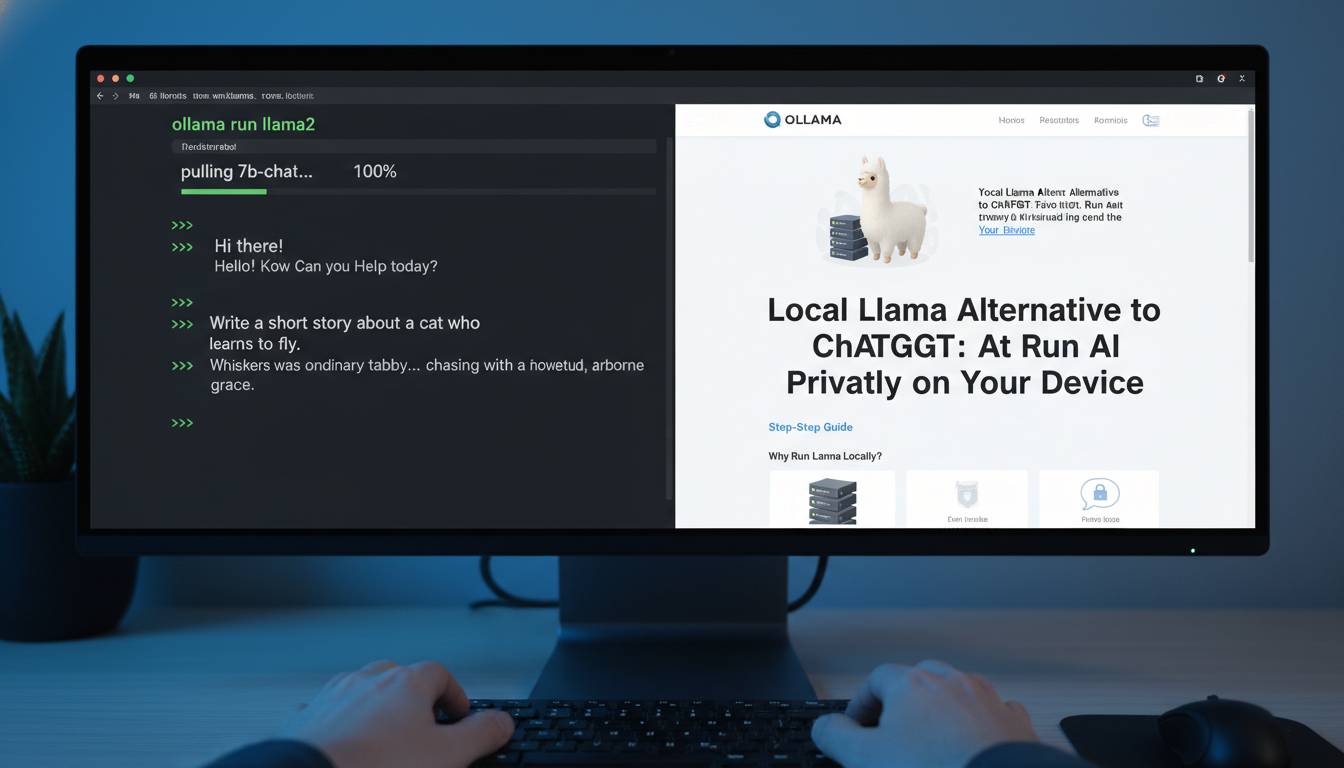
Ollama has become the easiest entry point for running local AI. Available for macOS, Linux, and Windows, it provides a simple command-line interface that downloads and runs models with minimal configuration.
Getting started:
1. Download Ollama from ollama.ai
2. Open terminal and run: ollama run llama3
3. Begin chatting immediately
Ollama supports multiple models and lets you switch between them easily. It handles model quantization internally, making hardware requirements more manageable.
LM Studio
LM Studio offers a more visual experience, providing a ChatGPT-like interface while supporting local model execution. It includes model discovery, download management, and GPU acceleration configuration.
Key features:
– GUI similar to ChatGPT
– Easy model switching
– GPU layer configuration
– Context length adjustments
llama.cpp
For advanced users seeking maximum control, llama.cpp provides the underlying engine that powers many other tools. It supports extensive quantization options and runs efficiently on CPU.
Best for: Users comfortable with command-line tools who want granular control over model parameters and quantization.
GPT4All
GPT4All provides an ecosystem including models optimized for consumer hardware, a simple GUI, and local embedding support for document question-answering. It’s particularly strong for privacy-focused document analysis.
Unique strength: Native support for local document embeddings without sending data to external services.
Common Mistakes When Setting Up Local AI
Understanding pitfalls before encountering them saves significant frustration.
Underestimating hardware requirements leads to disappointing experiences. Running models without sufficient VRAM causes severe slowdown or crashes. Always verify your GPU’s memory before selecting a model, and err toward smaller models if unsure.
Ignoring quantization wastes resources unnecessarily. Quantization reduces model precision (typically from 16-bit to 4-bit) with minimal quality loss, dramatically reducing hardware demands. Most launchers enable quantization by default, but understanding the trade-offs helps.
Choosing the wrong model for your use case produces poor results. Phi-3 excels on efficiency but may frustrate users needing complex reasoning. Llama 70B provides excellent quality but feels sluggish without high-end hardware. Match model to actual needs rather than chasing benchmarks.
Neglecting system cooling causes throttling during extended use. Local AI workloads push GPUs to sustained high utilization. Ensure adequate airflow and consider monitoring temperatures during initial sessions.
Best Local AI Setups for Different Use Cases
Your ideal setup depends on hardware availability and intended applications.
Beginner/home user with modest hardware (8GB VRAM):
– Model: Mistral 7B or Phi-3
– Tool: Ollama or LM Studio
– Use cases: Casual conversation, basic coding help, writing assistance
Enthusiast with mid-range GPU (12-16GB VRAM):
– Model: Llama 3 8B or Gemma 7B
– Tool: LM Studio
– Use cases: More capable assistance, coding projects, document analysis
Professional/developer with high-end GPU (24GB+ VRAM):
– Model: Llama 3 70B or Mixtral
– Tool: LM Studio or llama.cpp
– Use cases: Complex coding, advanced reasoning, nearGPT-4 capability
Laptop/portable use:
– Model: Phi-3-mini or quantized Llama 3
– Tool: Ollama
– Consideration: Battery impact is significant; plan accordingly
Frequently Asked Questions
Can local AI models match ChatGPT’s quality?
The best local models (Llama 3 70B, Mixtral) approach ChatGPT-4 quality on many tasks but may struggle with complex reasoning or highly specialized knowledge. Smaller local models (7B-8B) generally match early GPT-3.5 capability. For most casual use cases, local alternatives provide comparable experience once properly configured.
What hardware do I need to run local AI?
Minimum: 8GB VRAM (dedicated GPU) or 16GB system RAM with quantized models. Recommended: 12-16GB VRAM for smooth 7B model operation. Optimal: 24GB+ VRAM for 70B-class models. Many users successfully run capable models on gaming laptops with RTX 4060/4070 cards.
Is local AI completely private?
Yes, when properly configured. Your prompts and conversations never leave your device. However, ensure you’re not using cloud-acceleration features, and verify that your chosen software doesn’t send telemetry. Ollama, LM Studio, and llama.cpp all support fully offline operation.
How do I switch between different AI models?
Tools like LM Studio and Ollama make switching straightforward. In LM Studio, simply browse available models, download your selection, and choose it from the dropdown. Ollama uses commands like ollama run mistral to switch. Both handle model downloading and storage automatically.
What’s the difference between quantized and full models?
Quantization reduces model size by using lower-precision numbers (8-bit or 4-bit instead of 16-bit). This dramatically reduces memory requirements with minimal quality loss—typically 1-3% degradation that most users won’t notice. Quantization makes 70B models runnable on 24GB GPUs that couldn’t handle the full version.
Can I use local AI for commercial purposes?
Most local AI models use open-source licenses permitting commercial use. Llama 3 uses Meta’s license with some restrictions on very large-scale use. Mistral and Phi-3 also permit commercial applications. Always verify the specific license for your chosen model before commercial deployment.
Conclusion
Local AI alternatives to ChatGPT have matured into practical, capable options for privacy-conscious users, developers, and businesses. The combination of Meta’s Llama 3, Mistral, Microsoft’s Phi-3, and Google’s Gemma models provides solutions for every hardware tier and use case.
The ecosystem has never been more accessible. Tools like Ollama and LM Studio eliminate technical barriers, while ongoing model improvements continually narrow the gap with cloud-based alternatives. Whether you’re protecting sensitive business data, working offline, or simply wanting control over your AI interactions, local deployment offers a compelling path forward.
Start with your available hardware, choose a model that matches your needs, and experience the difference of AI that runs entirely under your control. The learning curve is modest, the privacy benefits are substantial, and the capability gap with cloud services continues to close with each model release.